

Why Won't My MyQ Hub Connect to WiFi?
- myQ hub is 2.4GHz-only; router on 5GHz or band-steered
- WiFi password entered incorrectly
- Weak 2.4GHz signal at the garage
Problem Description
Your myQ hub will not connect to your WiFi network. The hub LED flashes or stays a color that indicates it cannot reach the internet. The myQ hub only supports 2.4GHz WiFi networks. If your router broadcasts a combined 2.4/5GHz network, the hub may fail to connect during setup.
Why This Happens in Real Homes
The myQ hub is 2.4GHz-only, and that single fact causes most connection failures. If your router broadcasts a combined 2.4/5GHz network under one SSID, the hub may try the 5GHz signal it can't use and fail during setup - and if your phone is on 5GHz while pairing, the handoff breaks too. The reliable fix is to give the hub a clean 2.4GHz network: temporarily split off a dedicated 2.4GHz SSID or disable band steering for setup. WPA3-only security is the other hard blocker, so use WPA2 or WPA2/WPA3 mixed mode.
After the band, it's signal and the network layer. Garages are the worst spot in most homes for WiFi - far from the router and often behind a metal door - so a hub that pairs near the router but drops in the garage just needs better coverage there, which a mesh node provides. A hub that goes offline at the same time every morning is being knocked off by a scheduled router reboot or a DHCP lease renewal; reserving a fixed DHCP IP for the hub stops that cleanly. Make sure the hub is actually in learn/setup mode when adding it, disable MAC filtering during setup, and keep the firmware current.
Symptoms
- Hub won't connect to WiFi during setup
- Hub LED shows it can't reach the internet
- Setup fails at the WiFi step
- Hub connects then drops offline
- App can't find the hub in setup mode
- Hub offline every morning
- Only connects near the router
- Won't join a combined 2.4/5GHz network
Recognize these? Here's what usually causes it.
Common Causes
- myQ hub is 2.4GHz-only; router on 5GHz or band-steered
- WiFi password entered incorrectly
- Weak 2.4GHz signal at the garage
- Router set to WPA3-only
- Hub not in learn/setup mode
- Router MAC filtering blocking the hub
- DHCP lease/nightly reboot dropping it
- Hub firmware needs updating
Most fixes happen in the first 3 steps.
Garage doors are extremely heavy and the springs are under high tension. Never attempt to repair or adjust the door springs, cables, or tracks yourself as this can cause serious injury. Only troubleshoot the smart controller and electronic components. Call a professional for any mechanical issues.
Tools & Requirements
Step-by-Step Solution
Check the hub LED for connection status
The myQ hub LED indicates WiFi status. Solid blue = connected to WiFi and myQ cloud. Blinking blue = attempting to connect. Solid green = connected to WiFi but not the cloud. No light = no power. If the LED is blinking blue, the hub is trying to connect to your WiFi but failing. If solid green, the hub has WiFi but cannot reach the myQ servers (check your internet connection).
Verify the WiFi network is 2.4GHz
The myQ hub connects to 2.4GHz WiFi only. If your router combines 2.4GHz and 5GHz under one SSID, the hub should connect to 2.4GHz automatically. If it does not, temporarily create a separate 2.4GHz-only SSID in your router settings, connect the hub to that network, and then merge the SSIDs again. The hub remembers the connection.
Move the hub closer to the router
The myQ hub is typically mounted on the garage ceiling near the door opener. Garages are often at the edge of WiFi range with multiple walls between the hub and the router. If the hub LED blinks blue (cannot connect), the signal may be too weak. Try placing the hub closer to the garage interior wall nearest to the router. Or add a WiFi range extender in the garage or adjacent room. The hub needs a stable connection — intermittent WiFi causes frequent disconnections.
Reset the hub WiFi settings
If the hub was connected but lost WiFi (after a router change, password change, or SSID change): reset the hub WiFi. Press and hold the Settings button on the hub for 10 seconds until the LED blinks green. The hub enters setup mode. Open the myQ app and follow the WiFi setup process again — select your network and enter the current password.
Check for router settings blocking the hub
Some router settings prevent IoT devices from connecting: AP isolation or Client Isolation (must be off — it blocks device communication), MAC address filtering (add the hub MAC address to the allow list — MAC is on a sticker on the hub), too many connected devices (some routers cap at 20-30), or WPA3-only security (the hub supports WPA2 — switch to WPA2/WPA3 mixed mode). Check your router admin page for these settings.
Quick Solutions
Still having issues? This is usually the deeper cause below.
This usually happens right after a router reboot or ISP change — the device rejoins the network but drops its cloud session silently.
Set a nightly auto-close schedule at your usual bedtime so the garage door closes automatically even if you forget. Combine it with a phone notification 10 minutes before so you know it is about to close.
Most WiFi drop-offs happen right after a router reboot or ISP swap — the device reconnects to the network but silently loses its cloud registration.
- myQ hub is 2.4GHz-only; router on 5GHz or band-steered
- WiFi password entered incorrectly
- Weak 2.4GHz signal at the garage
- Router set to WPA3-only
- Hub not in learn/setup mode
Before you go — try one of these (they fix most cases).
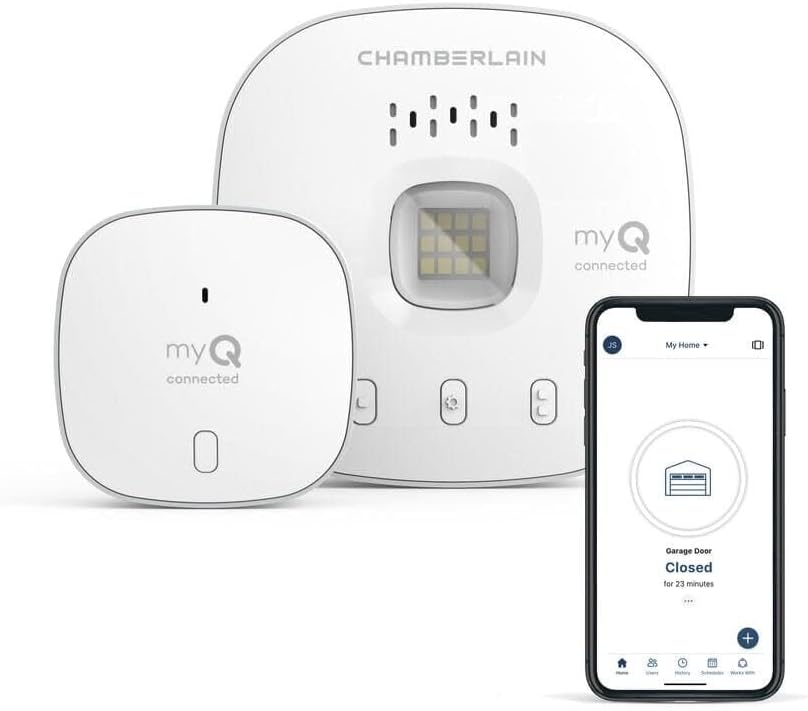
Most popular upgrades chosen by MyQ Smart Garage Hub owners.
As an Amazon Associate we earn from qualifying purchases.
Official Manufacturer Manual
MyQ provides official product documentation through their online manual rather than downloadable PDF. Access setup guides, troubleshooting steps, and product specifications for your MyQ Smart Garage Hub.
Source: support.chamberlaingroup.com
Need More Help? MyQ Support
Note: The contact information below connects you directly to MyQ's official customer support team, not Trunetto. They can help with warranty claims, device replacements, and advanced technical issues.
Accessories owners commonly pair with MyQ Smart Garage Hub.

As an Amazon Associate we earn from qualifying purchases.
