

Why Won't My Smart Garage Door Close or Keeps Reversing?
- Photo-eye safety sensors misaligned, blocked, or dirty
- Loose wire or sun glare on a photo-eye
- Obstruction in the door's path or track
Problem Description
Your garage door won't close, or it starts down and immediately reverses back up. On any modern opener (including myQ), this is a safety feature working: the photo-eye sensors near the base of the tracks, or the down travel/force settings, are telling the opener it's unsafe to close. This guide covers aligning the photo-eyes, clearing obstructions, and adjusting travel and force so the door closes and stays closed.
Why This Happens in Real Homes
A garage door that reverses instead of closing is almost always the opener's safety system doing exactly what it's designed to do. The photo-eye sensors near the base of both tracks project an invisible beam across the opening, and if that beam is broken - by an obstruction, a misaligned or dirty sensor, a loose wire, or even low sun glare hitting the lens - the opener refuses to close and reverses. A tell-tale sign is the opener light blinking about 10 times, which is the diagnostic code for a photo-eye problem. The fix is to align the two sensors until both their LEDs glow solid (not blinking), clean the lenses, and clear anything breaking the beam.
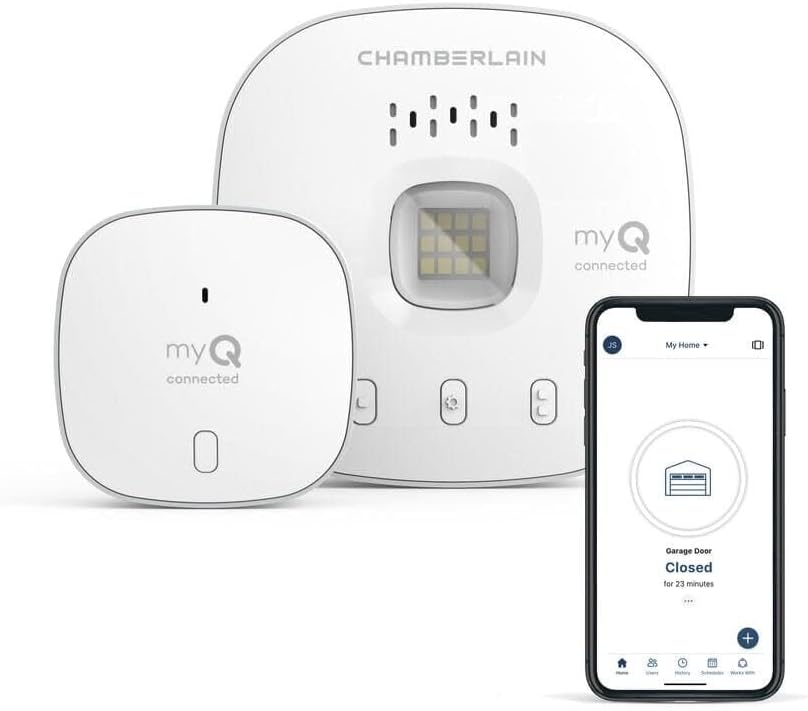
If the photo-eyes are fine, the other classic cause is the door reversing specifically when it reaches the floor - that's the down travel limit set too far, so the door hits the floor and the opener reads the resistance as an obstruction, or the close force is set too sensitive. Reducing the down travel so the door stops right at the floor and easing the close force resolves it; binding rollers or a broken spring/cable produce the same symptom and need mechanical service. One myQ-specific note: if the door won't close only from the app (but closes fine at the wall button), that's the myQ door sensor - myQ requires it to confirm the door's position before a remote close, so a bad or misaligned sensor blocks app closing as a safety measure.
Symptoms
- Door reverses immediately after starting to close
- Motor runs but the door won't move
- Clicking sound but no movement
- Door closes partway then stops or reverses
- Opener light blinks ~10 times when you try to close
- Reverses only when it reaches the floor
- Works from the wall button but not smoothly
- Won't close from the app (sensor-related)
Recognize these? Here's what usually causes it.
Common Causes
- Photo-eye safety sensors misaligned, blocked, or dirty
- Loose wire or sun glare on a photo-eye
- Obstruction in the door's path or track
- Down travel limit set too far (door hits floor, reads obstruction)
- Close force set too sensitive
- Broken spring or cable, or binding rollers
- Photo-eye LEDs not both solid
- myQ door sensor bad, blocking a remote close
Most fixes happen in the first 3 steps.
Broken garage door springs are under extreme tension and can cause serious injury. Never attempt to repair springs yourself - always call a professional.
Tools & Requirements
These tools will help you complete this fix.

As an Amazon Associate we earn from qualifying purchases.
Step-by-Step Solution
Check the safety sensors
All garage door openers manufactured after 1993 have photoelectric safety sensors at the bottom of the door track on both sides, about 6 inches from the ground. If the sensors are misaligned, blocked, or dirty, the door reverses immediately when you try to close it. Check both sensors: each has a small LED. One sensor has a solid green LED (sending), the other has a solid green or amber LED (receiving). If the receiving sensor LED is blinking, the beam is blocked or misaligned.
Realign the safety sensors
Loosen the wing nut or bracket screw on the blinking sensor. Adjust the sensor angle until the receiving LED turns solid (not blinking). Both sensors must point directly at each other across the door opening. Use a string line or laser level to verify alignment. Common causes of misalignment: the sensor bracket was bumped by a car tire, a child hit it with a bike, or the mounting bracket loosened from vibration over time.
Clean the sensor lenses
Dust, cobwebs, and garage grime accumulate on the safety sensor lenses. The two sensors are mounted on the inside of the door tracks, one on each side, about 6 inches from the floor. Wipe both sensor lenses (the small round eyes on the front of each sensor) with a dry soft cloth. Even a thin film of dust can weaken the beam enough to cause intermittent reversals — the door works sometimes and reverses other times. In dusty garages, clean the sensors monthly.
Check the close force setting
If the sensors are aligned and clean but the door still reverses partway down, the close force may be set too low. On the back or side of the garage door opener motor unit, find the Force Adjustment knobs or screws (usually labeled Down Force). Turn the close force up slightly (quarter turn at a time). The door needs enough force to overcome resistance from old weatherstripping, stiff springs, or track friction. Do not crank it to maximum — that defeats the safety purpose.
Check the door track and hardware
If the door gets stuck or binds at a specific point during closing, it reverses because the opener detects resistance. Manually disconnect the opener (pull the red release cord) and raise/lower the door by hand. It should move smoothly with minimal effort. If it binds, sticks, or is heavy at any point: lubricate the track rollers and hinges with silicone spray, check for bent track sections, and inspect the extension or torsion springs for damage. A broken spring makes the door too heavy for the opener to close without reversing.
Quick Solutions
Still having issues? This is usually the deeper cause below.
If this comes back after following these steps, check whether a recent app or firmware update reset a default setting — the fix works, but the setting gets reverted silently.
If your door was working fine and suddenly won't close on a sunny day, the sun may be interfering with the safety sensors. Try shading them temporarily.
This issue almost always looks more complex than it is — the majority of cases trace back to a single setting, a stale credential, or a default that shipped wrong.
- Photo-eye safety sensors misaligned, blocked, or dirty
- Loose wire or sun glare on a photo-eye
- Obstruction in the door's path or track
- Down travel limit set too far (door hits floor,
- Close force set too sensitive
Before you go — try one of these (they fix most cases).
Most popular upgrades chosen by Smart Garage Door Opener owners.
As an Amazon Associate we earn from qualifying purchases.
Official Manufacturer Manual
MyQ provides official product documentation through their online manual rather than downloadable PDF. Access setup guides, troubleshooting steps, and product specifications for your Smart Garage Door Opener.
Source: support.chamberlaingroup.com
Need More Help? MyQ Support
Note: The contact information below connects you directly to MyQ's official customer support team, not Trunetto. They can help with warranty claims, device replacements, and advanced technical issues.
Accessories owners commonly pair with Smart Garage Door Opener.

As an Amazon Associate we earn from qualifying purchases.


