
How Do I Control My Garage Light with the MyQ Hub?
- Opener/light not supported for myQ light control
- Light accessory not paired to the hub
- Hub offline (no app control)
Problem Description
You want to control your garage light through the myQ hub/app, or the light control isn't working. myQ can turn the opener's built-in light (and compatible myQ light accessories) on and off from the app - it's on/off control, not brightness or color. Problems are usually connectivity, an unsupported/unpaired light, or the opener's own light-timer settings. This guide covers what myQ light control does and how to fix it.
Why This Happens in Real Homes
myQ light control is simpler than some product descriptions imply: it lets you turn the opener's built-in light (or a compatible myQ light accessory) on and off from the app, and optionally tie it to door events - but it's on/off control only, not brightness or color adjustment. So if you're expecting to dim it or change its color, that's not a fault, it's outside what myQ light control does. The first checks are whether your specific opener or accessory actually supports myQ light control, and whether a separate myQ light accessory is properly paired to the hub.
Once supported and paired, the usual issues are connectivity and the opener's own timer. Like everything myQ, app control requires the hub to be online, so a hub that's offline (or on weak garage WiFi) can't switch the light - fixing the connection is the priority. The opener also has its own light timer that turns the light off automatically after a set period; if the light 'turns off on its own,' that timer is the reason, and its duration is adjustable at the opener. To have the light come on automatically when the door opens or closes, set up an automation in the myQ app rather than expecting it by default. Keep firmware current for reliable control.
Symptoms
- Garage light won't turn on/off from the app
- Light control missing in the myQ app
- Light turns off on its own after a while
- Light works at the opener but not the app
- Expecting brightness/color control
- Light command lags or fails
- Only some events turn the light on
- Light accessory not detected
Recognize these? Here's what usually causes it.
Common Causes
- Opener/light not supported for myQ light control
- Light accessory not paired to the hub
- Hub offline (no app control)
- Opener's light timer turning it off automatically
- Expecting dimming/color (myQ is on/off only)
- Automation not set to turn the light on with door events
- Firmware out of date
- Weak WiFi delaying commands
Most fixes happen in the first 3 steps.
Garage doors are extremely heavy and the springs are under high tension. Never attempt to repair or adjust the door springs, cables, or tracks yourself as this can cause serious injury. Only troubleshoot the smart controller and electronic components. Call a professional for any mechanical issues.
Tools & Requirements
These tools will help you complete this fix.

As an Amazon Associate we earn from qualifying purchases.
Step-by-Step Solution
Connect the myQ hub to the opener light
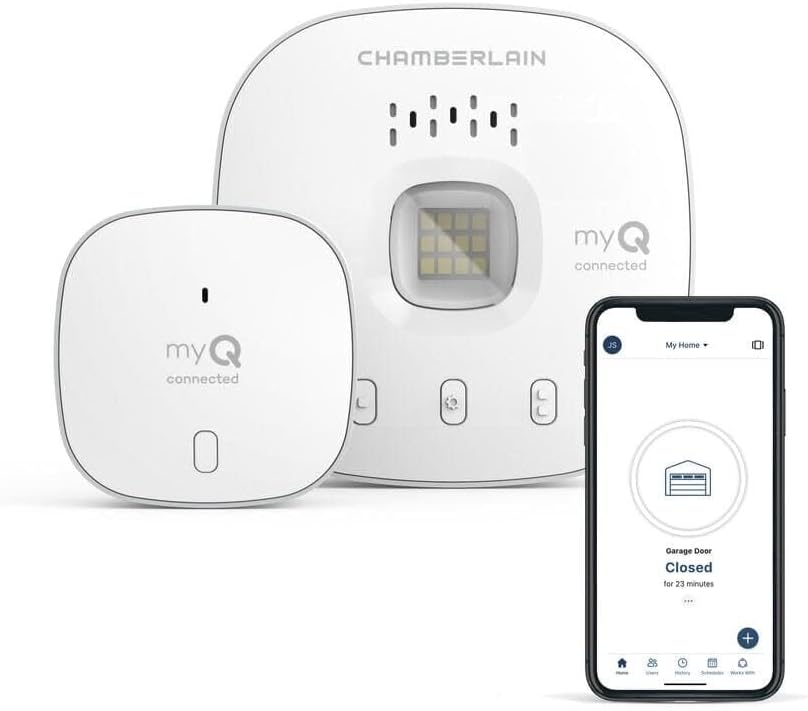
The myQ Smart Garage Hub can control the garage door opener built-in light. The hub connects to the same terminals as the wall button — when the hub sends a light command, it activates the opener light through the same control circuit. In the myQ app, the light control appears alongside the door control on the garage door tile.
Turn the light on and off from the app
In the myQ app, tap the light bulb icon on the garage door tile. The opener light turns on. Tap again to turn it off. You can also use the myQ Smart Garage Hub with Alexa or Google Home: Alexa, turn on the garage light or Hey Google, turn off the garage light. The light control is separate from the door control — turning on the light does not open the door.
Set up light schedules
In the myQ app, go to the garage door settings > Light Timer. Set the light to automatically turn on and off on a schedule. Example: turn on at sunset and off at 11 PM. You can also set the light to turn on automatically when the garage door opens and turn off after a delay (e.g., 5 minutes after the door closes). This ensures you have light when entering or leaving the garage.
Fix the light not responding to app commands
If the door operates from the app but the light does not respond: check that your garage door opener model supports separate light control through the myQ hub. Some older openers combine the light and door toggle on the same circuit — the hub command operates the door, not the light. Check the opener documentation for myQ light control compatibility. Also try pressing the light button on the wall panel — if the physical button works but the app does not, the hub may need a firmware update.
Replace the garage opener light bulb
If the light does not turn on from any source (app, wall button, or automatic): the bulb may be burned out. Open the opener light cover and replace the bulb. Use a rough-service incandescent bulb or a garage door opener-rated LED bulb. Avoid standard LED bulbs — many emit radio frequency interference that disrupts the myQ hub and remote communication. Look for bulbs specifically labeled compatible with garage door openers.
Quick Solutions
Still having issues? This is usually the deeper cause below.
If flickering only happens on dimming, the issue is almost always the dimmer's minimum-load setting, not the bulb — it's drawing less current than the dimmer expects.
Set a nightly auto-close schedule at your usual bedtime so the garage door closes automatically even if you forget. Combine it with a phone notification 10 minutes before so you know it is about to close.
Hub disconnections that cycle repeatedly are almost always IP conflicts — two devices fighting over the same DHCP lease after a router restart.
- Opener/light not supported for myQ light control
- Light accessory not paired to the hub
- Hub offline (no app control)
- Opener's light timer turning it off automatically
- Expecting dimming/color (myQ is on/off only)
Before you go — try one of these (they fix most cases).
Most popular upgrades chosen by MyQ Smart Garage Hub owners.
As an Amazon Associate we earn from qualifying purchases.
Official Manufacturer Manual
MyQ provides official product documentation through their online manual rather than downloadable PDF. Access setup guides, troubleshooting steps, and product specifications for your MyQ Smart Garage Hub.
Source: support.chamberlaingroup.com
Need More Help? MyQ Support
Note: The contact information below connects you directly to MyQ's official customer support team, not Trunetto. They can help with warranty claims, device replacements, and advanced technical issues.
Accessories owners commonly pair with MyQ Smart Garage Hub.

As an Amazon Associate we earn from qualifying purchases.
