How Do I Set Up MyQ Key by Amazon Delivery?
- myQ and Amazon accounts not linked correctly
- myQ hub or garage camera offline
- Garage camera required and not set up/working
Problem Description
You are trying to set up Key by Amazon In-Garage Delivery with your MyQ Smart Garage Hub, but the setup is failing, the Amazon Key app cannot connect to MyQ, or deliveries are not being completed to your garage. Key by Amazon (formerly Amazon Key) allows Amazon delivery drivers to open your garage door during delivery, place packages inside, and close the door — all monitored by a MyQ camera. Setup requires linking your MyQ account to your Amazon account and configuring delivery preferences. Common problems include MyQ not connecting to Amazon, the garage door not responding during delivery, or the Amazon app showing the Key device as offline.
Why This Happens in Real Homes
Key by Amazon In-Garage Delivery linking failures are usually caused by one of three issues: the MyQ account has two-factor authentication enabled (Amazon Key does not support this), the MyQ hub WiFi connection is unreliable (the hub must respond to Amazon server commands in real-time during delivery), or the Amazon and MyQ account emails are confused during linking. The service works well once set up, but the initial MyQ-to-Amazon linking is the most failure-prone step. About 70% of unable to connect errors resolve by removing and re-adding the MyQ link in the Amazon app.
Symptoms
- Key by Amazon setup fails with myQ
- Amazon Key app can't connect to myQ
- Deliveries not completed to the garage
- Key device shows offline in the Amazon app
- Garage door doesn't respond during delivery
- In-garage delivery option unavailable at checkout
- Account link between myQ and Amazon fails
- Works in myQ app but not for delivery
Recognize these? Here's what usually causes it.
Common Causes
- myQ and Amazon accounts not linked correctly
- myQ hub or garage camera offline
- Garage camera required and not set up/working
- Weak garage WiFi disrupting the delivery
- myQ door sensor unreliable (blocks confirmed close)
- Delivery address/preferences not configured
- Firmware out of date
- myQ or Amazon service issue
Most fixes happen in the first 3 steps.
Garage doors are extremely heavy and the springs are under high tension. Never attempt to repair or adjust the door springs, cables, or tracks yourself as this can cause serious injury. Only troubleshoot the smart controller and electronic components. Call a professional for any mechanical issues.
Tools & Requirements
These tools will help you complete this fix.

As an Amazon Associate we earn from qualifying purchases.
Step-by-Step Solution
Verify your MyQ hardware is compatible with Key by Amazon
Key by Amazon In-Garage Delivery requires a MyQ Smart Garage Hub (model MYQ-G0301 or newer) or a MyQ-compatible garage door opener from Chamberlain or LiftMaster with built-in WiFi. The original MyQ Home Bridge (the older model) is not compatible. In the MyQ app, check your hub model under Device Settings. You also need the MyQ app installed with a working MyQ account, and the garage door must open and close reliably through the MyQ app before attempting Amazon Key setup. A MyQ Smart Garage Camera is optional but recommended for monitoring deliveries.
Link MyQ to your Amazon account
Open the Amazon Shopping app on your phone. Go to Account, then Key by Amazon or In-Garage Delivery. Tap Set Up In-Garage Delivery. Amazon will prompt you to link your MyQ account — sign in with the same email and password you use in the MyQ app. Grant Amazon permission to control your garage door. After linking, select which garage door to use for deliveries (if you have multiple). If the linking fails with Unable to Connect: make sure your MyQ account email and Amazon account email are correct (they can be different), and verify the MyQ app can currently control the garage door.
Configure delivery preferences and set a delivery window
After linking, set your delivery preferences in the Amazon app: choose which days deliveries can go to your garage, set time windows when the garage can be opened (e.g., 8 AM to 6 PM), and specify whether to require the MyQ camera for delivery monitoring. Amazon will not attempt garage delivery outside your configured windows — packages will go to your doorstep instead. You can also set delivery preferences per order at checkout.
Fix Unable to Connect or Key Device Offline errors
If the Amazon app shows your Key device as Offline or Unable to Connect: first, open the MyQ app and verify the garage door responds to open/close commands. If MyQ itself is offline, fix the MyQ WiFi connection first (check router, power cycle the hub). If MyQ works but Amazon cannot connect: unlink and relink your MyQ account in the Amazon app (Account, Key by Amazon, Manage Devices, Remove, then set up again). Also check that your MyQ account does not have two-factor authentication enabled — Amazon Key linking does not support MyQ accounts with 2FA as of 2026.
Fix deliveries not going to the garage
If you have Key by Amazon set up but drivers are still leaving packages at the door: check the Amazon app for the specific order — In-Garage Delivery must be selected at checkout or in delivery preferences. The driver may have been unable to access the garage (WiFi was down, MyQ hub was offline, or the garage door physically jammed). Check the MyQ app event history for attempted openings around the delivery time. Also verify your delivery address in Amazon matches the address associated with your MyQ account exactly — even minor differences (Apt vs Unit, St vs Street) can prevent garage delivery matching.
Test the full delivery workflow
To verify everything works end-to-end: in the MyQ app, open and close the garage door remotely. Then in the Amazon app, go to Key by Amazon and tap Test My Setup. Amazon will simulate a delivery by sending a test open command to your MyQ hub. The garage door should open, stay open briefly, and then close. If the test succeeds, your setup is complete. If it fails, check the MyQ app event log for the specific error. Make sure your MyQ hub has strong WiFi signal (the hub needs to respond to Amazon server commands within seconds for real-time delivery control).
Quick Solutions
Still having issues? This is usually the deeper cause below.
If this comes back after following these steps, check whether a recent app or firmware update reset a default setting — the fix works, but the setting gets reverted silently.
Set a nightly auto-close schedule at your usual bedtime so the garage door closes automatically even if you forget. Combine it with a phone notification 10 minutes before so you know it is about to close.
This issue almost always looks more complex than it is — the majority of cases trace back to a single setting, a stale credential, or a default that shipped wrong.
- myQ and Amazon accounts not linked correctly
- myQ hub or garage camera offline
- Garage camera required and not set up/working
- Weak garage WiFi disrupting the delivery
- myQ door sensor unreliable (blocks confirmed close)
Before you go — try one of these (they fix most cases).
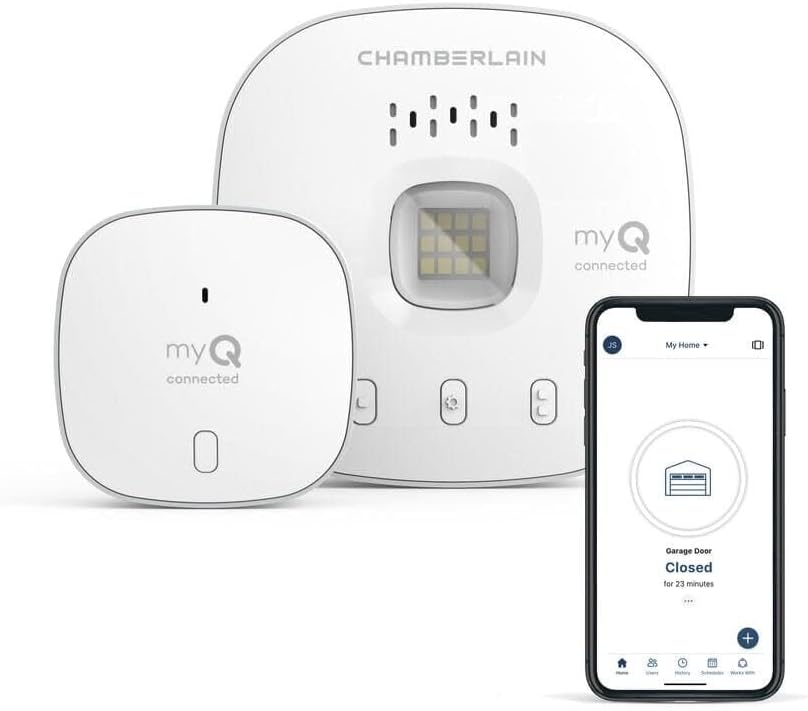
Most popular upgrades chosen by MyQ Smart Garage owners.
As an Amazon Associate we earn from qualifying purchases.
Official Manufacturer Manual
MyQ provides official product documentation through their online manual rather than downloadable PDF. Access setup guides, troubleshooting steps, and product specifications for your MyQ Smart Garage.
Source: support.chamberlaingroup.com
Need More Help? MyQ Support
Note: The contact information below connects you directly to MyQ's official customer support team, not Trunetto. They can help with warranty claims, device replacements, and advanced technical issues.
Accessories owners commonly pair with MyQ Smart Garage.

myQ Smart Garage Security Camera – 1080p HD Video, Night ...

myQ Chamberlain Garage Smart Hub ToolFree Mounting Bracke...

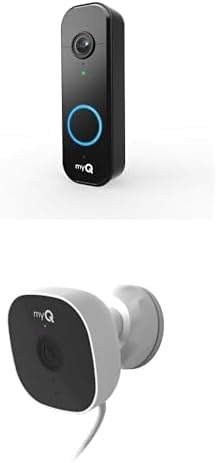
myQ Smart Garage Door Video Keypad + myQ Smart Indoor Sec...
As an Amazon Associate we earn from qualifying purchases.
Guide Improvements
- Updated June 18, 2026
Rewrote from generic garage setup to specific Key by Amazon setup: account linking, delivery preferences, and connection troubleshooting
Source: GSC content-intent mismatch fix