How to Install Wyze Cam v3 Outdoors With a Weatherproof Housing
- Select Location and Housing
- Check Cable Path
- Weatherproof the USB Joint
- Mount and Aim Camera
- Seal Exterior Hole
Most users complete this in under 60 minutes
Overview
Wyze Cam v3 is rated IP65 but the cable and USB connector are not. This guide walks through properly weatherproofing the cable run and mounting the camera so it survives seasonal rain, humidity, and freeze-thaw cycles.
Why This Happens in Real Homes
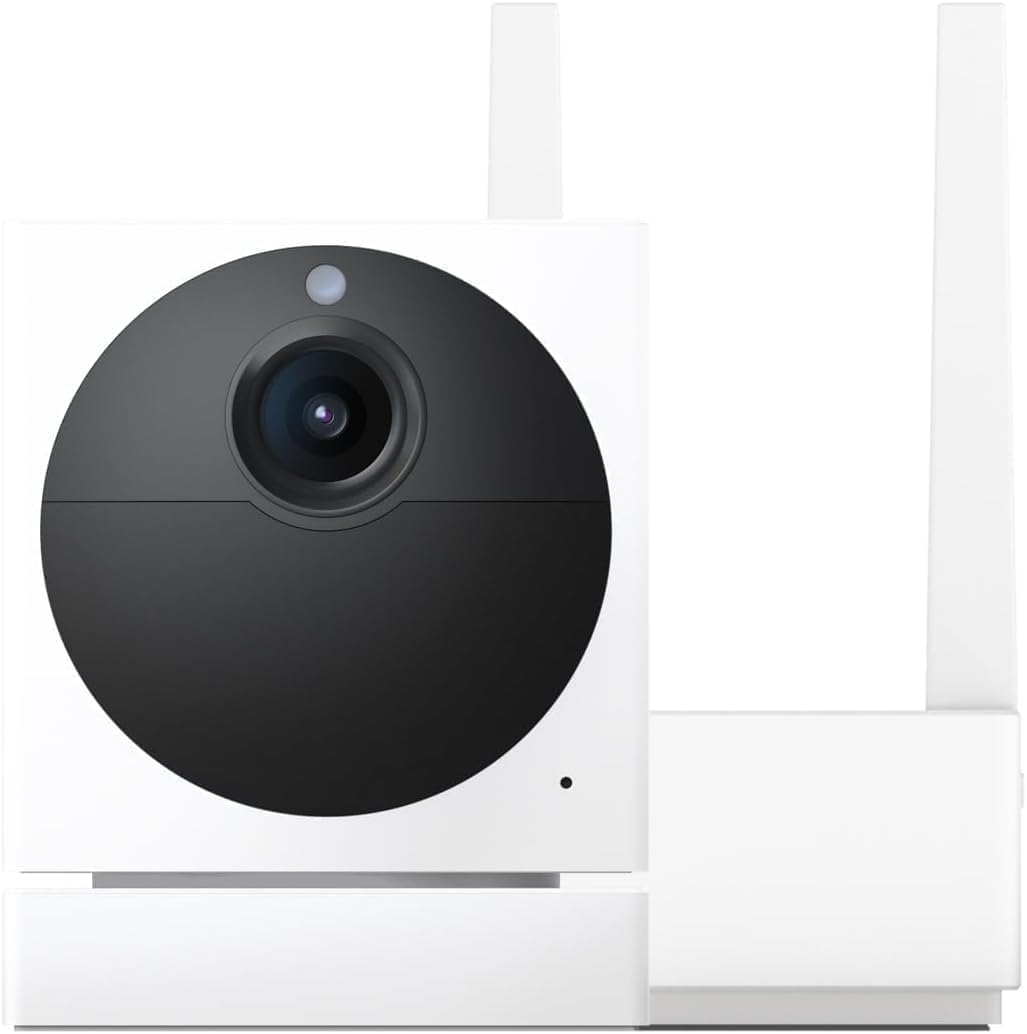
The Wyze Cam v3 is weather-resistant, but its weak point outdoors is the USB power connector — that joint isn't sealed, so wind-driven rain and condensation get in and kill the camera. Most "dead after a storm" failures trace back to an unsealed cable exit rather than the camera body itself.
When you house it, seal the USB connection with a weatherproof cover or dielectric grease, keep a drip loop in the cable so water runs off rather than into the joint, and don't block the housing's vent — a plugged vent traps condensation. A little care at the cable exit is what makes the difference between one season and several.
What's Included
- Camera is mounted outdoors year-round
- USB connector exposed to elements
- Rain or dew reaching cable joint
- Condensation forming inside housing
- Camera offline during storms
- Cable run through exterior wall
Got your materials ready? Here's what to check first.
Before You Start
- USB connector exposed at joint
- Improper caulk seal around cable exit
- Housing vent plugged or missing
- Cable sag pooling water at connector
- Cheap extension with loose fit
- Outlet not on a protected circuit
Don't skip this step — it breaks everything if you do
Do not bypass GFCI protection for outdoor camera outlets. Moisture near exposed joints can create shock risk without proper GFCI tripping.
Tools & Requirements
These tools will help you complete this fix.

drill with masonry or wood bit
Milwaukee Electric - 10PC. Shockwave Impact Duty Car...

screwdriver set
STREBITO 155 in 1 Electric Screwdriver Set, Small El...
As an Amazon Associate we earn from qualifying purchases.
Installation Steps
Select Location and Housing
Choose a mounting location under eaves or soffit whenever possible. Add a rated IP66 weatherproof housing that fits the v3 body and leaves space for the cable connector. Skipping a housing almost always causes USB corrosion within one rainy season.
Prepare Cable Path
Plan the cable route from outdoor mount point to an interior outlet. Drill a clean small hole through siding or soffit. Run the cable through the hole and leave a 6 inch service loop for future maintenance. Keep all splices indoors if possible for reliability.
Needed for this step
Milwaukee Electric - 10PC. Shockwave Impact Dut...
This helps complete the fix you are currently reading.
$37.97Weatherproof the USB Joint
Wrap the USB connector with self-fusing silicone tape and coat with dielectric grease before sealing. Mount so the joint sits inside the housing. A drip loop below the joint keeps water from tracking along the cable into the connector under wind-driven rain.
Mount and Aim Camera
Secure the mount to solid framing, not just siding. Attach the camera and aim using the Wyze app live view on your phone. Confirm the field of view covers the target area without obstruction. Adjust so shadows and sunlight do not wash out the image.
Seal Exterior Hole
Seal the exterior cable entry with exterior-grade silicone caulk. Confirm interior hole is also sealed against airflow. Plug the cable into a GFCI outlet. Restart the camera and verify motion events captured during the first rainfall without connectivity drops.
Installation Tips
Still stuck? This is usually the deeper cause below.
Label both ends of the cable run with painters tape. Labels make future servicing faster when the cable disappears behind walls or into attic space.
Before you go — these Wyze guides fix most remaining issues.
Most popular upgrades chosen by Wyze Cam v3 owners.

Wyze Cam v3, 1080P HD WiFi Wired Indoor/Outdoor Home Secu...
WYZE Cam v3, 1080P HD WiFi Wired Indoor/Outdoor Home Secu...
As an Amazon Associate we earn from qualifying purchases.
Official Manufacturer Manual
Wyze provides official product documentation through their online manual rather than downloadable PDF. Access setup guides, troubleshooting steps, and product specifications for your Wyze Cam v3.
Source: wyze.com
Need More Help? Wyze Support
Note: The contact information below connects you directly to Wyze's official customer support team, not Trunetto. They can help with warranty claims, device replacements, and advanced technical issues.
How Does Wyze Compare?
Before replacing your Wyze device, see how it stacks up against alternatives in our full comparison guides.