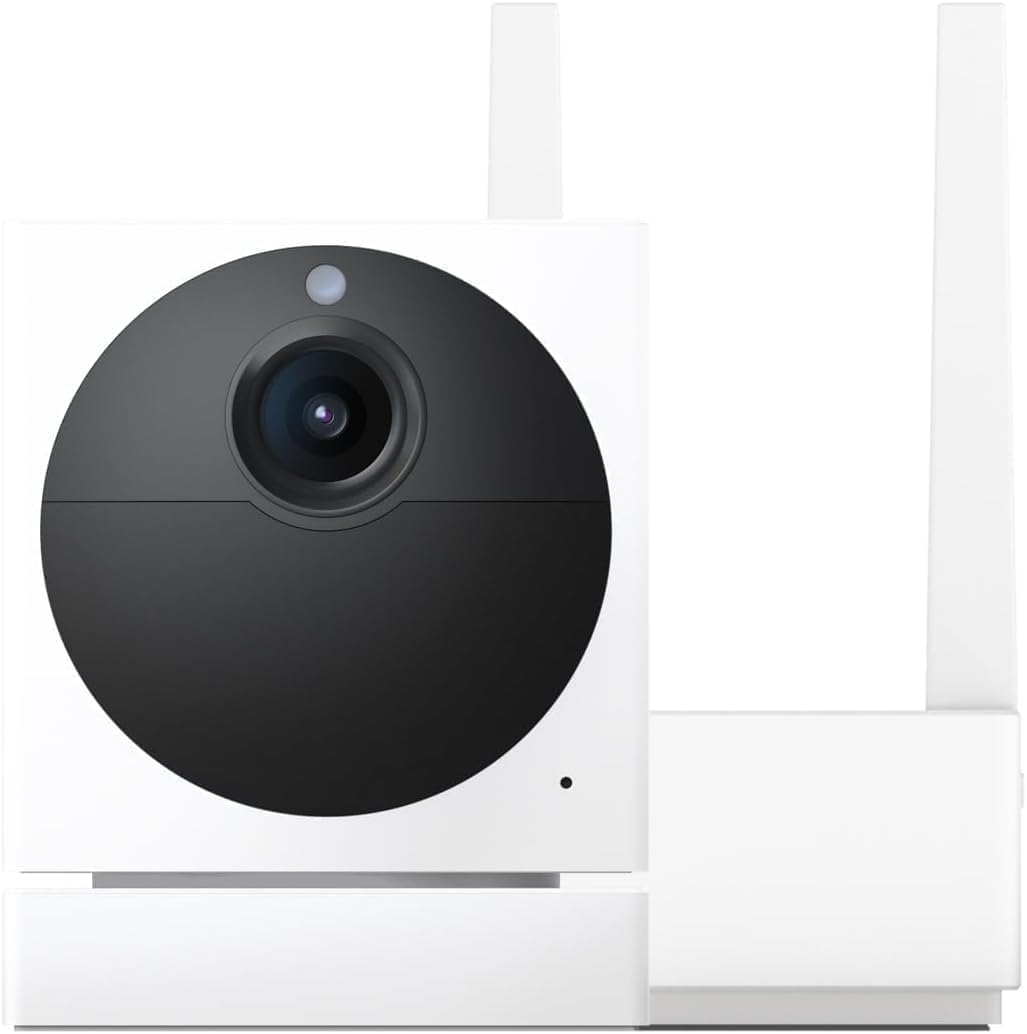
Why Is My Wyze Cam V3 Not Live Streaming After Firmware 4.36 Update?
- Firmware 4.36.16.5654 RTSP integration conflicts with live view
- Camera video encoder stuck in RTSP mode even when RTSP is off
- Insufficient bandwidth allocation between RTSP and app streams
Problem Description
After the February 2026 firmware update to version 4.36.16.5654, your Wyze Cam v3 or Pan v3 shows as online in the app but live stream will not load. Tapping the camera gives a spinning wheel that eventually times out or shows a black screen. This update added RTSP integration support but broke standard live streaming for many users. The camera still records events to the SD card and cloud, but you cannot view the feed in real time.
Why This Happens in Real Homes
This one caught a lot of Wyze users off guard. The February 2026 firmware was supposed to be a big deal — it finally brought official RTSP support to the v3 and Pan v3, which the community had been asking for since launch. But the update broke standard live streaming for a chunk of users. Your camera looks perfectly healthy in the app, shows as online, records motion events, saves to the SD card — but the moment you tap to watch the live feed it just spins and dies. The frustrating part is it is not every camera. Some v3 units on the exact same firmware work fine, which suggests a hardware revision or network configuration variable. Wyze acknowledged it on the forums but the initial response was slow. If you are running these cameras for actual security and not just as a toy, flash back to the previous firmware and wait for the hotfix.
Symptoms
- Camera shows online in device list but live view won't load
- Spinning wheel for 30+ seconds then connection failed error
- Black screen appears briefly then drops back to camera list
- Event clips still record but real-time feed is inaccessible
- Pan and tilt controls unresponsive during stream attempts
- Audio from camera cuts out when switching between camera feeds
Recognize these? Here's what usually causes it.
Common Causes
- Firmware 4.36.16.5654 RTSP integration conflicts with live view
- Camera video encoder stuck in RTSP mode even when RTSP is off
- Insufficient bandwidth allocation between RTSP and app streams
- Corrupted firmware partition from interrupted OTA update
- microSD card I/O blocking the video pipeline
- Wyze server-side routing not updated for new firmware handshake
Most fixes happen in the first 3 steps.
Do not unplug power while the status light is blinking during a firmware flash. Interrupting the flash can permanently brick the camera with no recovery option.
Tools & Requirements
These tools will help you complete this fix.
As an Amazon Associate we earn from qualifying purchases.
Step-by-Step Solution
Power cycle and test
Unplug your Wyze Cam v3 from power completely. Wait a full 30 seconds — not 5, not 10, a full 30. Plug it back in and wait for the status light to go solid blue. Open the Wyze app, pull down to refresh the camera list, then tap the camera. If live view still will not load after 60 seconds, the issue is firmware-level and a simple reboot will not fix it. Move to the next step.
Disable RTSP if enabled
The 4.36 firmware added RTSP support and some cameras got stuck with the encoder locked in RTSP mode. In the Wyze app go to your camera > Settings > Advanced Settings. If you see an RTSP toggle, turn it off. Restart the camera. If RTSP was never enabled and the toggle is not visible, this is not your issue — skip to step 3.
Flash previous firmware manually
Download firmware 4.36.11.7071 or the last known good version from Wyze support site. Rename the file to demo.bin and copy it to the root of a FAT32-formatted microSD card. With the camera unplugged, insert the SD card. Hold the setup button on the bottom of the camera while plugging in power. Keep holding until the light flashes purple — about 3 to 5 seconds. Release and wait 3 to 4 minutes for the flash to complete. The camera will reboot on the older firmware.

Needed for this step
UGREEN SD Card Reader - Portable USB 3.0 Dual S...
This helps complete the fix you are currently reading.
$7.99Clear app cache and re-add
On your phone go to Settings > Apps > Wyze > Storage and clear the cache (Android) or delete and reinstall the app (iPhone). Log back in. If the camera still will not stream, delete the camera from the camera list entirely and set it up fresh. You will not lose your cloud recordings, but you will need to reconfigure detection settings, notifications, and any automation rules.
Check for hotfix firmware
Wyze typically pushes a hotfix within 2 to 3 weeks of a major firmware bug. Go to Account > Firmware Update in the Wyze app and check if a newer version than 4.36.16.5654 is available. If you are on the beta program, the fix usually lands there first. You can join the beta through the Wyze website. If no update is available yet, staying on the manually flashed older firmware is your safest bet until the fix rolls out.
Quick Solutions
Still having issues? This is usually the deeper cause below.
Camera issues that start suddenly almost always trace back to an upload bandwidth drop — run a speed test before assuming hardware failure.
If your camera records events fine but just will not live stream, the camera hardware is not broken — do not throw it out or buy a replacement. It is a firmware issue.
Firmware updates that wipe settings are more common than brands admit — many devices silently reset to factory defaults on an OTA push with no warning.
- Firmware 4.36.16.5654 RTSP integration conflicts with live view
- Camera video encoder stuck in RTSP mode even
- Insufficient bandwidth allocation between RTSP and app streams
- Corrupted firmware partition from interrupted OTA update
- microSD card I/O blocking the video pipeline
Before you go — try one of these (they fix most cases).
Most popular upgrades chosen by Wyze Cam V3 owners.

Wyze Cam v3, 1080P HD WiFi Wired Indoor/Outdoor Home Secu...
WYZE Cam v3, 1080P HD WiFi Wired Indoor/Outdoor Home Secu...
As an Amazon Associate we earn from qualifying purchases.
Official Manufacturer Manual
Wyze provides official product documentation through their online manual rather than downloadable PDF. Access setup guides, troubleshooting steps, and product specifications for your Wyze Cam V3.
Source: wyze.com
Need More Help? Wyze Support
Note: The contact information below connects you directly to Wyze's official customer support team, not Trunetto. They can help with warranty claims, device replacements, and advanced technical issues.
How Does Wyze Compare?
Before replacing your Wyze device, see how it stacks up against alternatives in our full comparison guides.
Accessories owners commonly pair with Wyze Cam V3.

SANDISK 64GB Extreme microSDXC UHS-I Memory Card with Ada...

SANDISK 128GB Ultra microSDXC UHS-I Memory Card with Adap...

SANDISK 64GB Ultra microSDXC UHS-I Memory Card with Adapt...
As an Amazon Associate we earn from qualifying purchases.