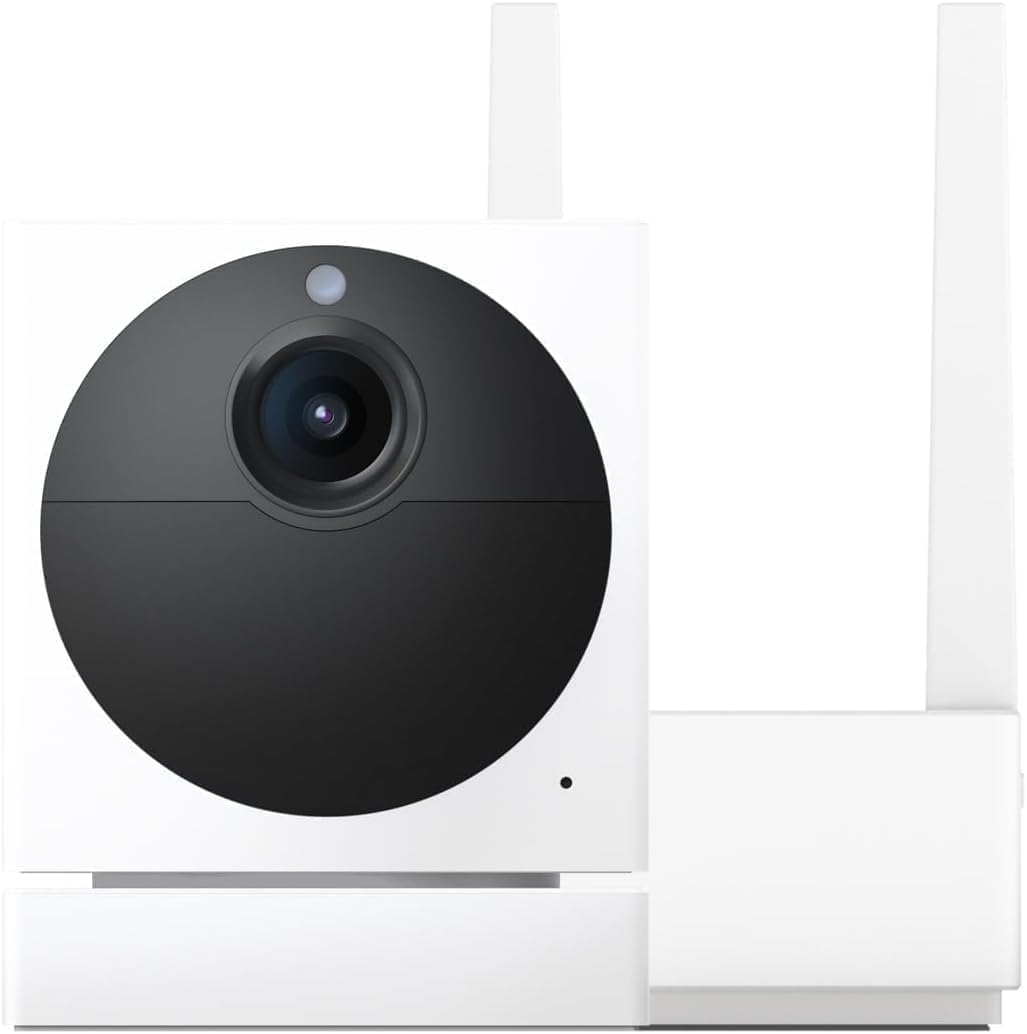
Why Does My Wyze Cam v3 Have a Purple Tint?
- IR cut filter stuck in the night (IR) position
- Filter mechanism jammed or sticky
- Rapid day/night switching wearing the mechanism
Problem Description
Your Wyze Cam v3 video feed has a purple or pink tint. This is caused by the IR cut filter getting stuck in the wrong position. The IR cut filter is a small mechanical component inside the camera that switches between day mode (color) and night mode (IR). If it sticks partway, the image appears purple. Power cycling usually fixes it — unplug the camera for 10 seconds and plug it back in.
Why This Happens in Real Homes
A purple or pink tint on a v3 is a mechanical fault, not a color setting: the camera has a tiny IR cut filter that slides in front of the sensor by day and out at night. When it gets stuck in the night (IR) position during daylight, infrared light the filter should block reaches the sensor and paints everything magenta.
The fix is to make the filter cycle: toggle Night Vision off and on, set it to Auto, or cover the lens for a few seconds to trigger a day/night switch — you may hear a faint click as it seats. A restart and current firmware help; if the filter is physically jammed, a gentle tap sometimes frees it, and Wyze support can help if it won't move.
Symptoms
- Video has a purple or pink tint
- Colors look washed with magenta
- Purple tint in daytime
- Tint after switching from night vision
- IR filter clicking or not moving
- Image never returns to normal color
- Purple cast in bright light
- Persistent pink hue
Recognize these? Here's what usually causes it.
Common Causes
- IR cut filter stuck in the night (IR) position
- Filter mechanism jammed or sticky
- Rapid day/night switching wearing the mechanism
- Firmware glitch not toggling the filter
- Cold or debris affecting the tiny mechanism
- Night Vision stuck On forcing the IR path
- Physical shock knocked the filter
- Aging filter actuator
Most fixes happen in the first 3 steps.
Security cameras should be installed at least 8 feet high to prevent tampering. Check local laws regarding recording audio and video. Never aim cameras at neighboring private property. Outdoor cameras should be rated IP65 or higher for weather resistance.
Tools & Requirements
These tools will help you complete this fix.

Clean microfiber cloth
MR.SIGA Microfiber Cleaning Cloth,Pack of 12,Size:12...

Ethernet cable
Jadaol Cat 6 Ethernet Cable 25 ft, 10Gbps Support Ca...

Level
9 Inch Torpedo Level Magnetic, Shock-Proof Small Lev...

Power adapter
JcBlaon Outlet Extender Surge Protector - 6 Outlet S...

Replacement batteries
Duracell Coppertop Double AA Batteries with Power Bo...
As an Amazon Associate we earn from qualifying purchases.
Step-by-Step Solution
Understand the purple tint cause
A purple tint on the Wyze Cam v3 image is typically caused by the IR cut filter not fully engaging when the camera switches from night mode (IR) to day mode (color). The IR cut filter blocks infrared light during daytime so colors look natural. If it is stuck partially open, infrared light bleeds into the color image and creates a purple or magenta cast across the entire frame.
Power cycle the camera to reset the IR filter
Unplug the camera for 30 seconds, then plug it back in. During boot, the IR cut filter mechanism resets. Check the live view after the camera finishes booting. If the purple tint is gone, the filter was temporarily stuck and the power cycle freed it. This is the most common fix and works in the majority of cases.
Needed for this step
JcBlaon Outlet Extender Surge Protector - 6 Out...
This helps complete the fix you are currently reading.
$9.99Force a night-to-day transition
If power cycling does not help, force the camera to switch between night and day mode. In settings, set Night Vision to On (IR mode) for 10 seconds, then switch back to Auto or Off. This forces the IR cut filter to mechanically move in and out, which may unstick it if it was partially jammed. Repeat 2-3 times if needed.
Check if the problem is temperature-related
The IR cut filter is moved by a small electromagnetic actuator. In very cold weather, the mechanism can become sluggish or fail to fully engage. If the purple tint only appears on cold mornings and clears later in the day as the camera warms up, the actuator is temperature-sensitive. This is a hardware limitation that worsens over time as the actuator weakens.
Contact Wyze support for replacement if persistent
If the purple tint is constant and does not clear with power cycling or mode switching, the IR cut filter mechanism has failed. This is a known hardware issue on some Wyze Cam v3 units — it is not fixable by the user. Contact Wyze support for a warranty replacement. Provide screenshots of the purple tint in good daylight to support your claim.
Needed for this step
Duracell Coppertop Double AA Batteries with Pow...
This helps complete the fix you are currently reading.
$6.96Quick Solutions
Still having issues? This is usually the deeper cause below.
If this comes back after following these steps, check whether a recent app or firmware update reset a default setting — the fix works, but the setting gets reverted silently.
Set up activity zones to monitor only the areas that matter like your front porch and driveway and exclude the street. This dramatically reduces false alerts while ensuring you never miss an actual event at your property.
This issue almost always looks more complex than it is — the majority of cases trace back to a single setting, a stale credential, or a default that shipped wrong.
- IR cut filter stuck in the night (IR) position
- Filter mechanism jammed or sticky
- Rapid day/night switching wearing the mechanism
- Firmware glitch not toggling the filter
- Cold or debris affecting the tiny mechanism
Before you go — try one of these (they fix most cases).
Most popular upgrades chosen by Wyze Cam v3 owners.

Wyze Cam v3, 1080P HD WiFi Wired Indoor/Outdoor Home Secu...
WYZE Cam v3, 1080P HD WiFi Wired Indoor/Outdoor Home Secu...
As an Amazon Associate we earn from qualifying purchases.
Official Manufacturer Manual
Wyze provides official product documentation through their online manual rather than downloadable PDF. Access setup guides, troubleshooting steps, and product specifications for your Wyze Cam v3.
Source: wyze.com
Need More Help? Wyze Support
Note: The contact information below connects you directly to Wyze's official customer support team, not Trunetto. They can help with warranty claims, device replacements, and advanced technical issues.
How Does Wyze Compare?
Before replacing your Wyze device, see how it stacks up against alternatives in our full comparison guides.
Accessories owners commonly pair with Wyze Cam v3.

SANDISK 64GB Extreme microSDXC UHS-I Memory Card with Ada...

SANDISK 128GB Ultra microSDXC UHS-I Memory Card with Adap...

SANDISK 64GB Ultra microSDXC UHS-I Memory Card with Adapt...
As an Amazon Associate we earn from qualifying purchases.