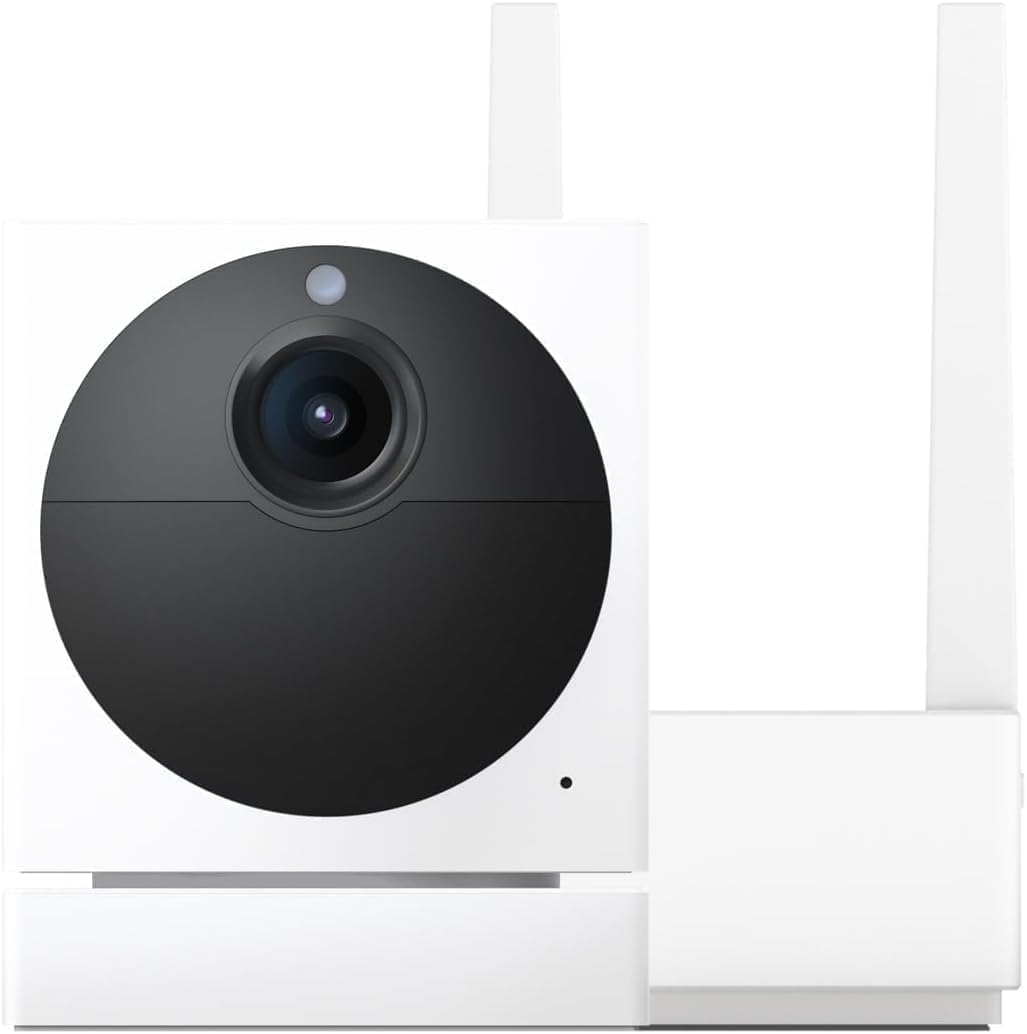
Why Won't My Wyze Cam v4 Switch to Color Night Vision at Night?
- Night Vision mode set to Auto defaulting to IR in low-light
- Colour night vision requires ambient light that is absent at camera location
- Camera firmware update changed night vision mode default
Problem Description
Your Wyze Cam v4 stays in black and white night vision mode instead of switching to colour night vision in low-light conditions. The Wyze Cam v4 features a colour night vision sensor that uses available ambient light for colour footage without the IR illuminator. Colour night vision must be enabled in the Wyze app and the camera requires at least some ambient light to produce colour footage rather than black and white IR vision.
Why This Happens in Real Homes
The v4's color night vision needs a bit of ambient light to work; with Night Vision set to Auto in a dark scene, it sensibly falls back to infrared (black-and-white), which reads as "not switching to color." It isn't a fault — there's just not enough light for a color image.
Start by setting Night Vision to the color mode rather than Auto, and add a small ambient light source (a porch light or streetlight) to the scene. In genuinely dark areas, infrared is the right mode and color simply isn't achievable.
Symptoms
- Camera shows black and white footage at night instead of colour
- Night Vision mode indicator shows IR is active but colour expected
- Wyze app night vision setting appears correct but camera uses IR
- Colour night vision was working then stopped after firmware update
- Camera switches correctly sometimes but not consistently
- No colour footage even in rooms with streetlight or porch light visible
Recognize these? Here's what usually causes it.
Common Causes
- Night Vision mode set to Auto defaulting to IR in low-light
- Colour night vision requires ambient light that is absent at camera location
- Camera firmware update changed night vision mode default
- Night vision toggle in Wyze app set to On IR instead of On Colour
- Not enough ambient light reaching the camera sensor for colour mode
- Camera physically covered or positioned away from ambient light sources
Most fixes happen in the first 3 steps.
Do not rely on Wyze Cam v4 colour night vision alone for complete darkness security. In total darkness IR mode provides far superior image detail and object recognition than colour mode at the same light level.
Tools & Requirements
These tools will help you complete this fix.
As an Amazon Associate we earn from qualifying purchases.
Step-by-Step Solution
Set Night Vision Mode to Colour in Wyze App
Open the Wyze app and tap the Cam v4 device. Tap the settings gear icon then Advanced Settings then Night Vision. You will see options for Off, Auto, and On. If using Auto the camera selects between colour and IR based on sensor reading. Tap the Night Vision Mode submenu and select Colour Night Vision or make sure Colour is prioritised over IR in the Auto setting. After saving exit settings and wait for the camera to transition to night mode.
Make sure Adequate Ambient Light
Wyze Cam v4 colour night vision requires at least 0.5 lux of ambient light to produce colour footage. This is roughly equivalent to moonlight or a distant street light. If the camera location is in complete darkness with no ambient light reaching the sensor the camera will always fall back to IR mode regardless of the colour setting. Add a low-level LED night light rated 0.5W to 2W near the camera field of view to provide the minimum light needed for colour sensor operation.

Needed for this step
9 Inch Torpedo Level Magnetic, Shock-Proof Smal...
This helps complete the fix you are currently reading.
$6.99Update Camera Firmware
In the Wyze app tap the Cam v4 then the settings gear icon then Device Info then Firmware. Check if an update is available and install it. Wyze frequently updates the night vision switching algorithm in firmware releases and some earlier firmware versions had colour night vision enabling bugs where the setting was saved but the camera defaulted to IR mode on reboot. After updating confirm the night vision setting is still on Colour and test at night.
Disable IR Night Vision and Test Colour Only
In Wyze app Advanced Settings then Night Vision set Night Vision Mode to Off for IR illumination. With IR disabled the camera must use available ambient light for colour imaging. If colour footage appears after disabling IR the issue was the IR activating before the colour sensor had a chance to capture light. Switch back to Colour Night Vision Auto mode and the camera should now prioritise colour. If footage is completely black with IR off the location has insufficient ambient light for colour mode.
Reposition Camera Toward Ambient Light
Mount the Wyze Cam v4 so it has a clear view toward any ambient light sources such as street lights, porch lights, or illuminated windows. Cameras pointed at dark walls or away from all light sources cannot capture colour in low light conditions. A small repositioning angle of 15 to 20 degrees toward an ambient light source can make the difference between the sensor collecting enough light for colour imaging and falling back to IR.
Quick Solutions
Still having issues? This is usually the deeper cause below.
If this comes back after following these steps, check whether a recent app or firmware update reset a default setting — the fix works, but the setting gets reverted silently.
Use the Wyze Cam v4 event recording shortcut to label areas of your footage with custom detection zones. A focused detection zone in a well-lit section of the camera view produces sharper colour night vision events.
This issue almost always looks more complex than it is — the majority of cases trace back to a single setting, a stale credential, or a default that shipped wrong.
- Night Vision mode set to Auto defaulting to IR
- Colour night vision requires ambient light
- Camera firmware update changed night vision mode default
- Night vision toggle in Wyze app set to On
- Not enough ambient light reaching the camera sensor for
Before you go — try one of these (they fix most cases).
Most popular upgrades chosen by Wyze Cam v4 owners.

WYZE Cam v4 (Latest Model), 2.5K AI Security Camera, Indo...

WYZE Cam v4 (Latest Model), 2.5K AI Security Camera, Indo...
WYZE Cam v4, 2.5K QHD WiFi Indoor/Outdoor Smart Home Secu...
As an Amazon Associate we earn from qualifying purchases.
Official Manufacturer Manual
Wyze provides official product documentation through their online manual rather than downloadable PDF. Access setup guides, troubleshooting steps, and product specifications for your Wyze Cam v4.
Source: wyze.com
Need More Help? Wyze Support
Note: The contact information below connects you directly to Wyze's official customer support team, not Trunetto. They can help with warranty claims, device replacements, and advanced technical issues.
How Does Wyze Compare?
Before replacing your Wyze device, see how it stacks up against alternatives in our full comparison guides.