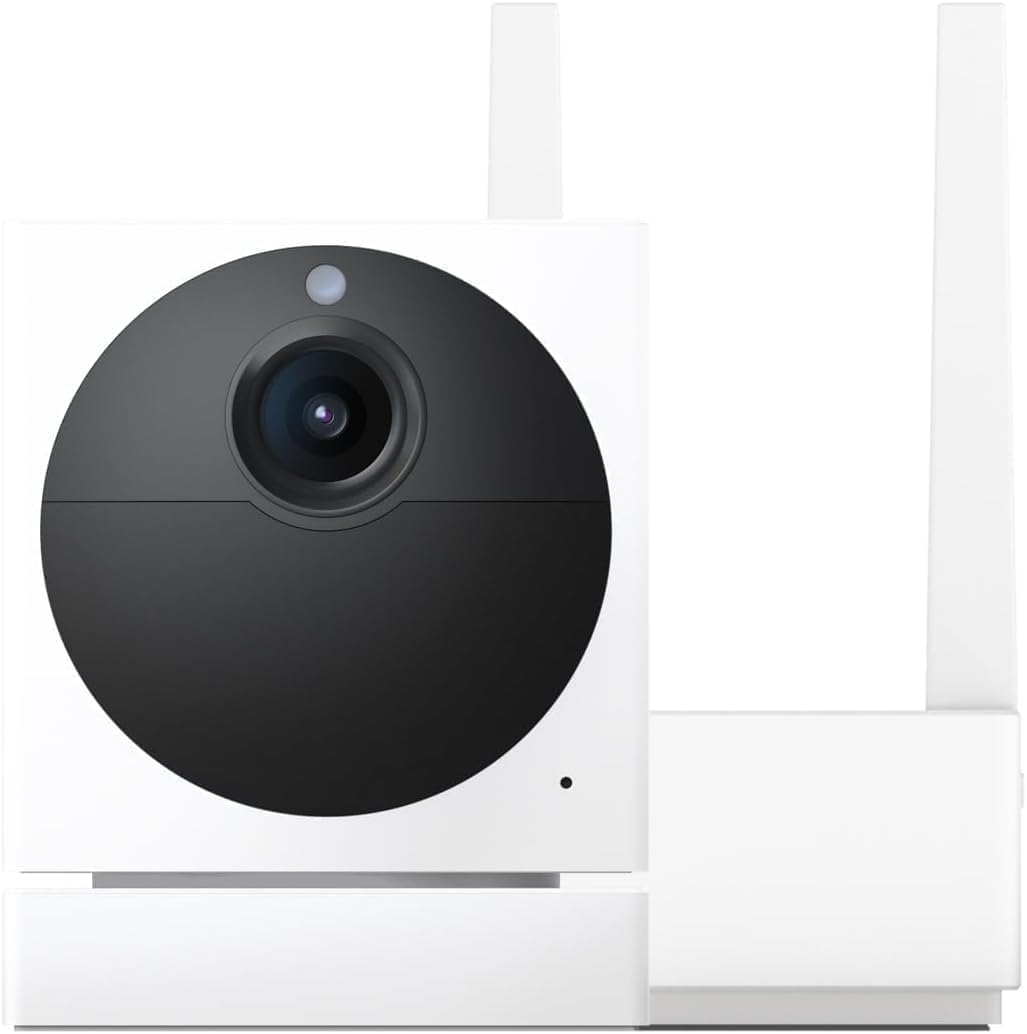
Wyze Error Code 68: What Does This Mean and How Do I Fix It?
- Server auth timeout
- Corrupted firmware
- Time sync issue
Problem Description
Your Wyze camera displays Error Code 68 when you try to view the live stream or play back an event. This error indicates an authentication or connection failure between the camera and Wyze cloud servers. The camera is powered on and connected to WiFi, but it cannot establish a secure video session with the Wyze backend. Error 68 can be triggered by an expired authentication token in the Wyze app, a server-side issue at Wyze, a firmware bug, or the camera being removed from your Wyze account on another device. It most commonly appears after a Wyze app update, an account password change, or multi-device login conflicts.
Why This Happens in Real Homes
Wyze Error Code 68 is an authentication error, not a camera hardware issue. It most commonly appears after Wyze pushes a server-side update, after users change their Wyze account password, or after logging into Wyze on a new phone without logging out of the old one. The log-out-and-back-in fix resolves about 80% of Error 68 cases. The error is more common on Wyze Cam v2 and v3 than on newer models, likely due to differences in how they handle token refresh.
Symptoms
- Error code 68
- Camera online but wont stream
- Intermittent connection errors
- Live view loads then fails
- Events not uploading
- Camera LED shows connected
Recognize these? Here's what usually causes it.
Common Causes
- Server auth timeout
- Corrupted firmware
- Time sync issue
- Account token expired
- Regional server problems
- Partial firmware update
Most fixes happen in the first 3 steps.
Factory reset removes camera from account. Need to add back and reconfigure all settings.
Step-by-Step Solution
Force-close the Wyze app and reopen
Error 68 is often a stale authentication token in the app. On iPhone: swipe up from the bottom and swipe the Wyze app off the screen. On Android: open Recent Apps and swipe Wyze away. Wait 5 seconds and reopen the app. Try viewing the camera live stream again. This forces the app to re-authenticate with Wyze servers. If you have multiple Wyze cameras and only one shows Error 68, the issue is likely camera-specific; if all cameras show it, the issue is your account authentication.
Log out and log back in to the Wyze app
If force-closing did not fix it: in the Wyze app, go to Account (bottom right), scroll down, and tap Log Out. Wait 10 seconds. Log back in with your email and password. This completely refreshes your authentication tokens. If you use two-factor authentication, you will need your verification code. After logging back in, all cameras should re-authenticate within 30 seconds. This is the most reliable fix for Error 68 caused by token expiration.
Power cycle the camera
Unplug the Wyze camera USB power cable from the camera or adapter. Wait 30 seconds — this is important because the camera needs to fully discharge its internal capacitor. Plug it back in. The camera will cycle through its boot sequence: the status light will turn solid yellow (booting), then blink yellow (connecting to WiFi), then turn solid blue (connected and ready). If the camera gets stuck on blinking yellow, it cannot reach your WiFi — check your router. Once the light is solid blue, try viewing the live stream.
Update the camera firmware and Wyze app
Error 68 is sometimes caused by a version mismatch between the app and camera firmware. Update the Wyze app from the App Store or Play Store first. Then in the Wyze app, go to the camera settings (gear icon), tap Device Info, and check for a firmware update. Install it if available. The firmware update takes 3-5 minutes — the camera will restart automatically. Do not unplug the camera during a firmware update. After both are updated, try the live stream again.
Remove and re-add the camera
If Error 68 persists after restarting and re-logging: in the Wyze app, go to the camera, tap the gear icon, scroll to the bottom, and tap Delete Device. Then hold the camera setup button for 20 seconds until you hear Ready to connect (Wyze Cam v3) or see a blinking yellow light (Wyze Cam v2). In the app, tap + to add a device, select the camera model, and follow setup. You will scan the QR code displayed on your phone with the camera. Re-adding the camera re-registers it with Wyze servers and resolves persistent authentication issues.
Check for Wyze server outages
If Error 68 appeared suddenly across all cameras and none of the above fixes work, Wyze may be experiencing a service outage. Check the Wyze community forum (forum.wyze.com) or Downdetector for current reports. During Wyze outages, cameras continue to record to the microSD card (if installed) but live view and cloud features are unavailable. Outages typically resolve within 1-4 hours. If the error persists for more than 24 hours and no outage is reported, contact Wyze support with your camera model and firmware version.
Quick Solutions
Still having issues? This is usually the deeper cause below.
If the keypad rejects valid codes, a lockout timer may be running — five failed entries locks most keypads silently for 5–10 minutes.
Error 68 can appear during Wyze server maintenance. Check Wyze status page or social media for maintenance.
This issue almost always looks more complex than it is — the majority of cases trace back to a single setting, a stale credential, or a default that shipped wrong.
- Server auth timeout
- Corrupted firmware
- Time sync issue
- Account token expired
- Regional server problems
Before you go — try one of these (they fix most cases).
Most popular upgrades chosen by Wyze Cam owners.

Wyze Cam v3, 1080P HD WiFi Wired Indoor/Outdoor Home Secu...
WYZE Cam v3, 1080P HD WiFi Wired Indoor/Outdoor Home Secu...

WYZE Cam OG Indoor/Outdoor 1080p Wi-Fi Smart Home Securit...
As an Amazon Associate we earn from qualifying purchases.
Official Manufacturer Manual
Wyze provides official product documentation through their online manual rather than downloadable PDF. Access setup guides, troubleshooting steps, and product specifications for your Wyze Cam.
Source: support.wyze.com
Need More Help? Wyze Support
Note: The contact information below connects you directly to Wyze's official customer support team, not Trunetto. They can help with warranty claims, device replacements, and advanced technical issues.
How Does Wyze Compare?
Before replacing your Wyze device, see how it stacks up against alternatives in our full comparison guides.
Accessories owners commonly pair with Wyze Cam.

SANDISK 64GB Extreme microSDXC UHS-I Memory Card with Ada...

SANDISK 128GB Ultra microSDXC UHS-I Memory Card with Adap...

SANDISK 64GB Ultra microSDXC UHS-I Memory Card with Adapt...
As an Amazon Associate we earn from qualifying purchases.
Guide Improvements
- Updated June 18, 2026
Major expansion from minimal content: added authentication token explanation, detailed app steps, firmware update process, and server outage checking
Source: GSC striking distance enrichment