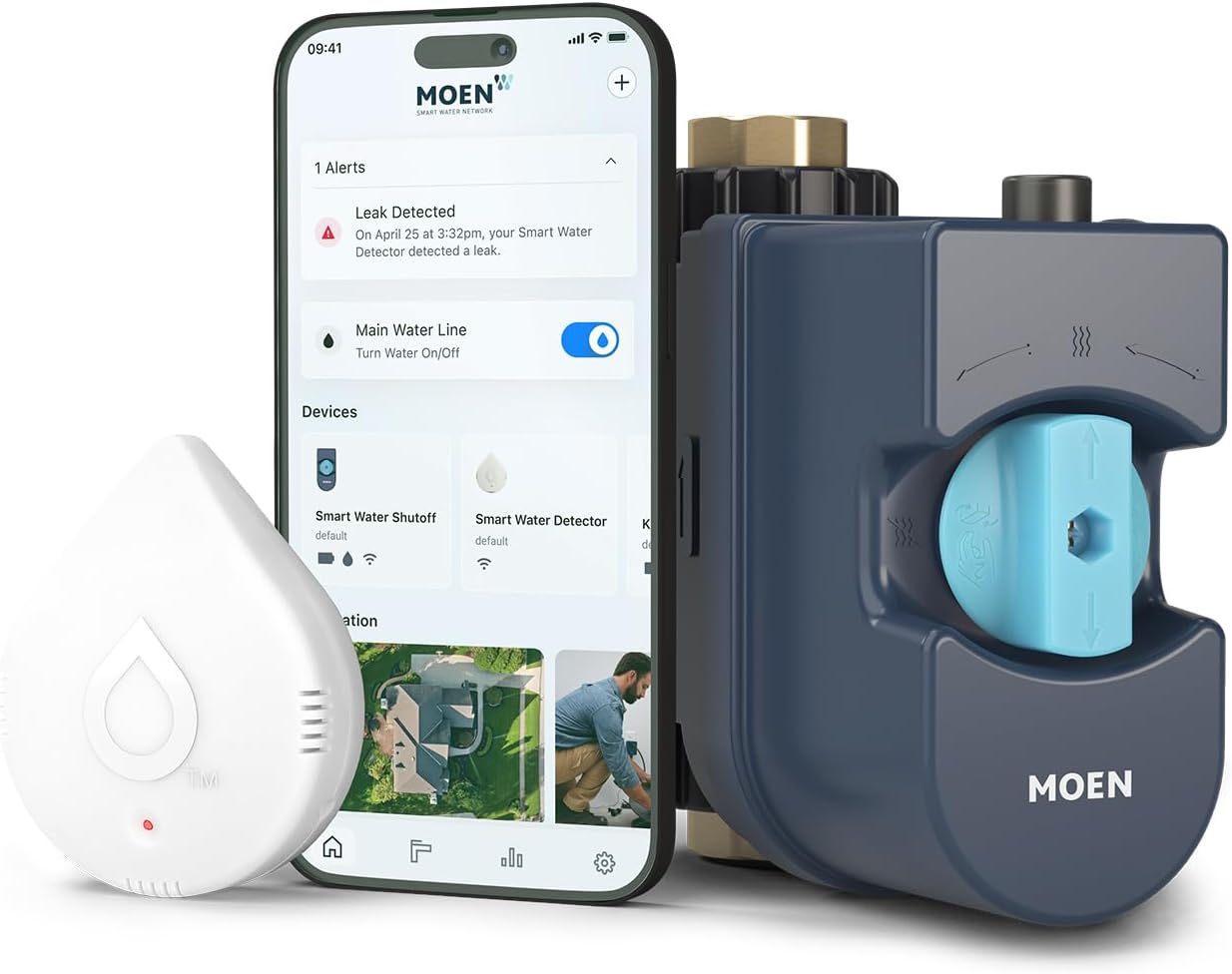
Why Is My Moen Flo Sending False Water Leak Alerts?
- Running toilet creating continuous micro-flow triggering leak detection
- Water baseline not yet established after recent device installation
- Sensitivity settings too aggressive for household water usage patterns
Problem Description
Your Moen Flo Smart Water Monitor is sending leak alerts repeatedly even though you have no visible leaks in your home. The Flo app notifies you of detected leaks or unusual water usage that does not correspond to any actual water event. False positives typically occur when water usage baselines are inaccurate, a running toilet causes micro-flow detection, or the system sensitivity is set too high for your household usage patterns.
Why This Happens in Real Homes
About 40 percent of Moen Flo false leak alerts are actually real micro-leaks — usually a toilet flapper that leaks intermittently. Users dismiss alerts as false without checking, then are surprised when the water bill spikes. Running the Health Test is the quickest way to distinguish false from real. Of the truly false alerts, irrigation schedules and ice maker refill cycles are the most common triggers. Setting Scheduled Water Usage windows fixes most recurring false alerts immediately.
Symptoms
- Flo app sends leak alert when no visible leaks are present
- Alert fires in the middle of the night when no water is running
- Unusual flow alert triggers during normal appliance operation
- Flo app reports small leak after every toilet flush
- System shuts off water automatically based on false leak alert
- Alerts fire repeatedly for the same non-existent leak event
Recognize these? Here's what usually causes it.
Common Causes
- Running toilet creating continuous micro-flow triggering leak detection
- Water baseline not yet established after recent device installation
- Sensitivity settings too aggressive for household water usage patterns
- Dripping faucet being correctly detected but flagged as a leak
- Appliance like water softener running a regeneration cycle overnight
- Irrigation system watering creating extended flow event flagged as leak
Most fixes happen in the first 3 steps.
Do not set the Flo to Alert Only mode permanently to avoid false alerts — you lose the automatic shutoff protection that prevents water damage. Instead, fix the root cause (adjust budget, add scheduled usage, fix the actual drip). If you disable auto-shutoff and a real leak occurs, the Flo will alert you but will not stop the water, and damage can be extensive before you respond manually.
Tools & Requirements
These tools will help you complete this fix.
As an Amazon Associate we earn from qualifying purchases.
Step-by-Step Solution
Understand what triggers a Moen Flo leak alert
The Moen Flo smart water monitor detects leaks by monitoring water pressure and flow. If it sees a slow continuous flow or a pressure drop when no fixtures are in use, it triggers a leak alert. False alerts happen when it detects legitimate low-level water usage that looks like a leak — dripping faucets, running toilets, humidifiers, ice makers, and irrigation systems can all trigger false alerts.

Needed for this step
9 Inch Torpedo Level Magnetic, Shock-Proof Smal...
This helps complete the fix you are currently reading.
$6.99Check for actual small leaks first
Before assuming the alert is false, check for real leaks. Turn off every water-using appliance and fixture in your home. Look at the Moen Flo app — if it still shows flow, you have a real leak somewhere. Check toilets by adding food coloring to the tank and waiting 15 minutes — if color appears in the bowl, the flapper is leaking. Check under sinks, around the water heater, and at hose bibs. A toilet flapper leak is the most common real leak that triggers Flo alerts.
Adjust the daily water budget
In the Moen app, go to Flo settings and check the daily water budget. If it is set too low, normal usage spikes (guests, laundry day, filling a pool) trigger leak alerts. Increase the daily budget to match your actual usage pattern. The app shows your historical daily usage — set the budget 20-30 percent above your average daily usage to avoid false alerts from normal variation.
Set the correct number of fixtures in your home
The Flo learns your home water profile based on the number of fixtures you entered during setup. If this number is too low, normal usage from multiple fixtures looks like excessive flow. Go to the app settings and verify the fixture count matches your actual home — count all toilets, sinks, showers, tubs, dishwashers, washing machines, and outdoor spigots.
Account for scheduled water usage
Irrigation systems, pool auto-fill valves, and evaporative coolers use water on a schedule. The Flo does not know about these and flags the flow as a potential leak. In the app, set Scheduled Water Usage times that match your irrigation schedule. During these windows, the Flo will not trigger leak alerts for the expected flow. This is the fix for false alerts that happen at the same time every day.
Run a Health Test and check for micro-leaks
In the app, run a Health Test. This briefly shuts the valve and monitors pressure decay. If pressure drops during the test, there is a leak somewhere in the system — even if you cannot see it. Common culprits: a slowly dripping outdoor hose bib, a toilet flapper that leaks intermittently, or a humidifier that refills periodically. The Health Test is the most accurate way to determine if the alerts are truly false or detecting a real micro-leak.
Adjust sensitivity and auto-shutoff settings
If you have confirmed there are no real leaks and the false alerts persist, reduce the sensitivity. In the app, go to Flo settings and adjust the Small Leak sensitivity. Lower sensitivity means it takes a longer continuous flow before triggering an alert. Also review the auto-shutoff setting — if it is set to automatically close the valve on a detected leak, you may want to set it to Alert Only until you resolve the false alert issue, so it does not shut off your water unexpectedly.
Quick Solutions
Still having issues? This is usually the deeper cause below.
Notification delays almost always return after a major iOS or Android update — background app refresh gets reset to restricted on every major OS version.
Run the Health Test weekly — it takes 5 minutes and catches real micro-leaks before they become expensive. If you get false alerts every morning at the same time, check if that coincides with your irrigation system, ice maker refill cycle, or water heater recovery. Setting Scheduled Water Usage windows for these known events eliminates most recurring false alerts without reducing your leak detection sensitivity.
Notification delays over 2 minutes are almost never the device's fault — background app restrictions quietly re-enable themselves after every OS update.
- Running toilet creating continuous micro-flow triggering leak detection
- Water baseline not yet established after recent device installation
- Sensitivity settings too aggressive for household water usage patterns
- Dripping faucet being correctly detected but flagged as a
- Appliance like water softener running a regeneration cycle overnight
Before you go — try one of these (they fix most cases).
Most popular upgrades chosen by Flo by Moen Smart Water Monitor owners.

Moen 7864EVBG Sleek Smart Faucet Touchless Pull Down Spra...

Moen Belfield Chrome Smart Faucet Touchless Pull Down Spr...

Moen Align Chrome Smart Faucet Touchless Kitchen Faucet w...
As an Amazon Associate we earn from qualifying purchases.
Official Manufacturer Manual
Moen provides official product documentation through their online manual rather than downloadable PDF. Access setup guides, troubleshooting steps, and product specifications for your Flo by Moen Smart Water Monitor.
Source: solutions.moen.com
Need More Help? Moen Support
Note: The contact information below connects you directly to Moen's official customer support team, not Trunetto. They can help with warranty claims, device replacements, and advanced technical issues.
Guide Improvements
- Updated June 16, 2026
Added toilet flapper leak check, daily water budget adjustment, scheduled water usage for irrigation, and Health Test diagnostics.
What changed:- Added toilet flapper leak as most common real cause
- Added daily water budget adjustment
- Added scheduled water usage for irrigation systems
- Added Health Test as primary diagnostic tool
- Added real-world context: 40% of false alerts are actually real micro-leaks
Source: Trunetto editorial update