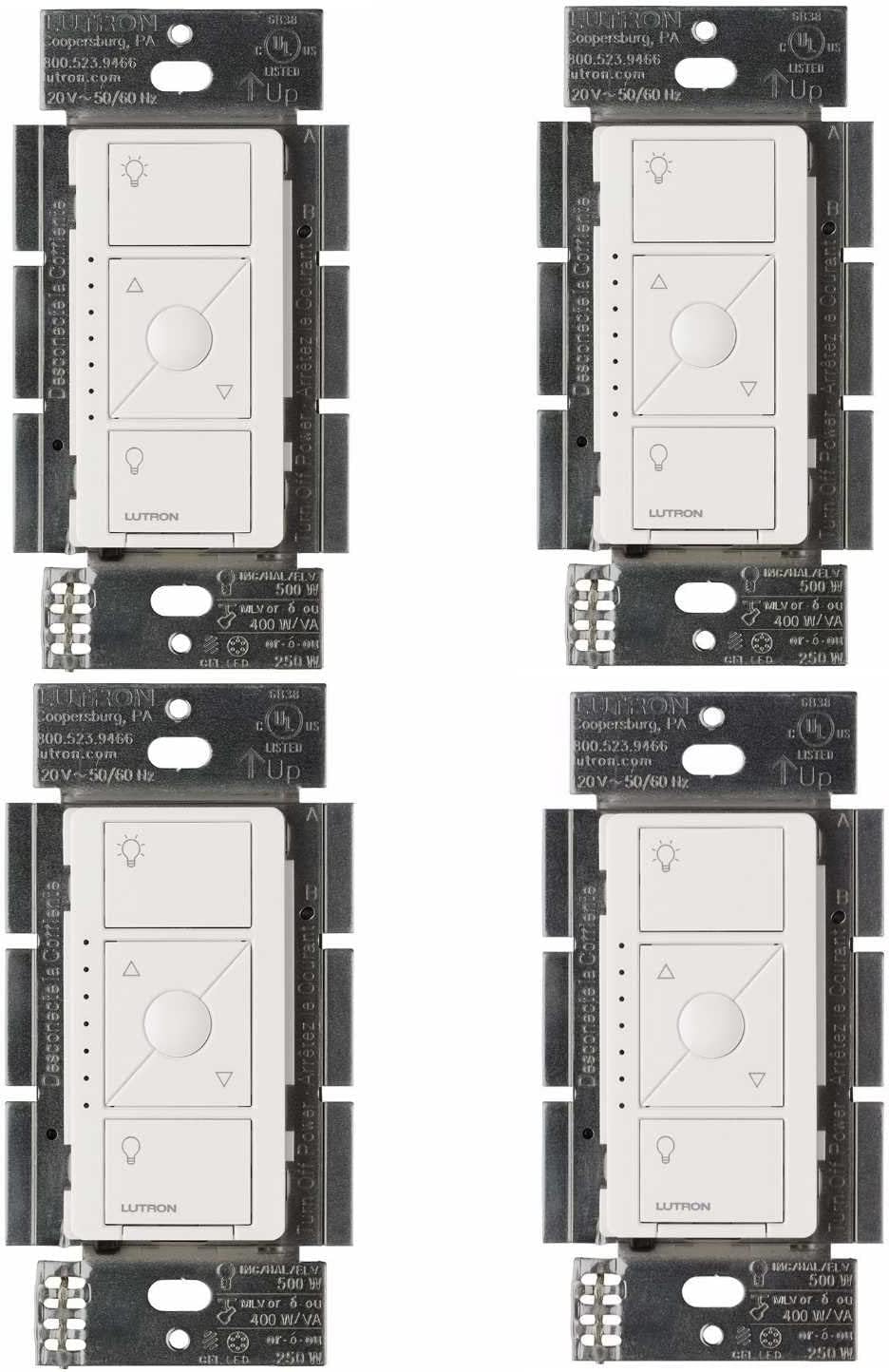
Why Are My Lights Flickering with Lutron Caseta Dimmer?
- LED bulbs not dimmer compatible
- Total wattage below dimmer minimum
- Bulb and dimmer frequency mismatch
Problem Description
Your lights flicker, buzz, or strobe when using a Lutron Caseta dimmer. The flickering may occur at certain dim levels, when turning on, or constantly. This is usually a compatibility issue between the dimmer and your specific LED bulbs. Lutron dimmers require minimum load and compatible bulb types to function smoothly.
Why This Happens in Real Homes
Flickering on a Caseta dimmer points to LED compatibility or load: bulbs not dimmer-compatible, or a total wattage below the dimmer's minimum load (LED loads are tiny, so too few bulbs can drop under the threshold).
Start by using compatible dimmable LEDs (check Lutron's list) and setting the low-end trim, and if you have very few low-wattage bulbs, the load may be below the dimmer's minimum — Lutron offers a load-adding accessory (the LUT-MLC module) for that case. Mixing bulb types on one dimmer also causes flicker.
Symptoms
- Lights flicker at low dim levels
- Buzzing or humming from bulbs
- Strobing effect when dimmed
- Flicker only at certain percentages
- Lights flicker then stabilize
- One bulb flickers others fine
Recognize these? Here's what usually causes it.
Common Causes
- LED bulbs not dimmer compatible
- Total wattage below dimmer minimum
- Bulb and dimmer frequency mismatch
- Low quality LED driver in bulbs
- Dimmer low end trim needs adjustment
- Loose wire connection in switch box
Most fixes happen in the first 3 steps.
Never exceed the wattage rating of your dimmer. Caseta dimmers typically handle 150W of LED or 600W of incandescent. Overloading causes overheating and flickering.
Tools & Requirements
These tools will help you complete this fix.

As an Amazon Associate we earn from qualifying purchases.
Step-by-Step Solution
Confirm bulb compatibility with your exact Caseta model
Check Lutron compatibility guidance for your installed dimmer and bulb lineup, because LED driver mismatch remains the most common source of persistent flicker.
Adjust low-end trim to stable dimming threshold
Raise the minimum dim level until flicker disappears across all connected bulbs, since unstable low-range driver operation often causes visible shimmer.
Verify wiring integrity and load distribution
Inspect line/load connections and make sure total load is within spec, because loose terminals or mixed loads can create intermittent electrical behavior.
Test with known-good bulbs on same circuit
Swap to certified compatible bulbs and compare behavior under identical settings, so you can isolate fixture/bulb issues from dimmer hardware concerns.
Update bridge firmware and retest scene transitions
Apply updates and run multiple fade/scene changes, because firmware improvements can resolve timing artifacts that amplify low-level flicker.
Quick Solutions
Still having issues? This is usually the deeper cause below.
If flickering only happens on dimming, the issue is almost always the dimmer's minimum-load setting, not the bulb — it's drawing less current than the dimmer expects.
High quality LED bulbs from major brands almost always dim better than cheap LEDs. The LED driver inside cheap bulbs often cannot handle phase cut dimming. **Product Intelligence:** - Requires Caseta Smart Bridge - Clear Connect RF (not WiFi) - HomeKit/Alexa/Google compatible
LED flicker with smart dimmers is the #1 unfixed complaint — most people swap the bulb when the dimmer's low-end trim is the actual problem.
- LED bulbs not dimmer compatible
- Total wattage below dimmer minimum
- Bulb and dimmer frequency mismatch
- Low quality LED driver in bulbs
- Dimmer low end trim needs adjustment
Before you go — try one of these (they fix most cases).
Most popular upgrades chosen by Lutron Caseta Dimmer owners.

Lutron Diva Smart Dimmer Switch with Wallplate and Pico S...

Lutron Caseta Deluxe Smart Dimmer Switch Kit, Compatible ...

Lutron Caséta Motion Sensor, Occupancy/Multi-Location, wi...
As an Amazon Associate we earn from qualifying purchases.
Official Manufacturer Manual
If you need the complete manufacturer documentation for advanced setup, wiring diagrams, or detailed specifications, you can download the official manual below. The manual includes full technical instructions directly from the manufacturer and may help if your issue requires deeper troubleshooting.
Download the Official Lutron Caseta Dimmer ManualSource: lutron.com
Need More Help? Lutron Support
Note: The contact information below connects you directly to Lutron's official customer support team, not Trunetto. They can help with warranty claims, device replacements, and advanced technical issues.
Accessories owners commonly pair with Lutron Caseta Dimmer.

Amazon Smart Plug, Works with Alexa, Simple Setup, Endles...

Sengled Smart Light Bulbs, Color Changing Alexa/Bluetooth...

Sengled Alexa Light Bulb, S1 Auto Pairing with Alexa Devi...
As an Amazon Associate we earn from qualifying purchases.