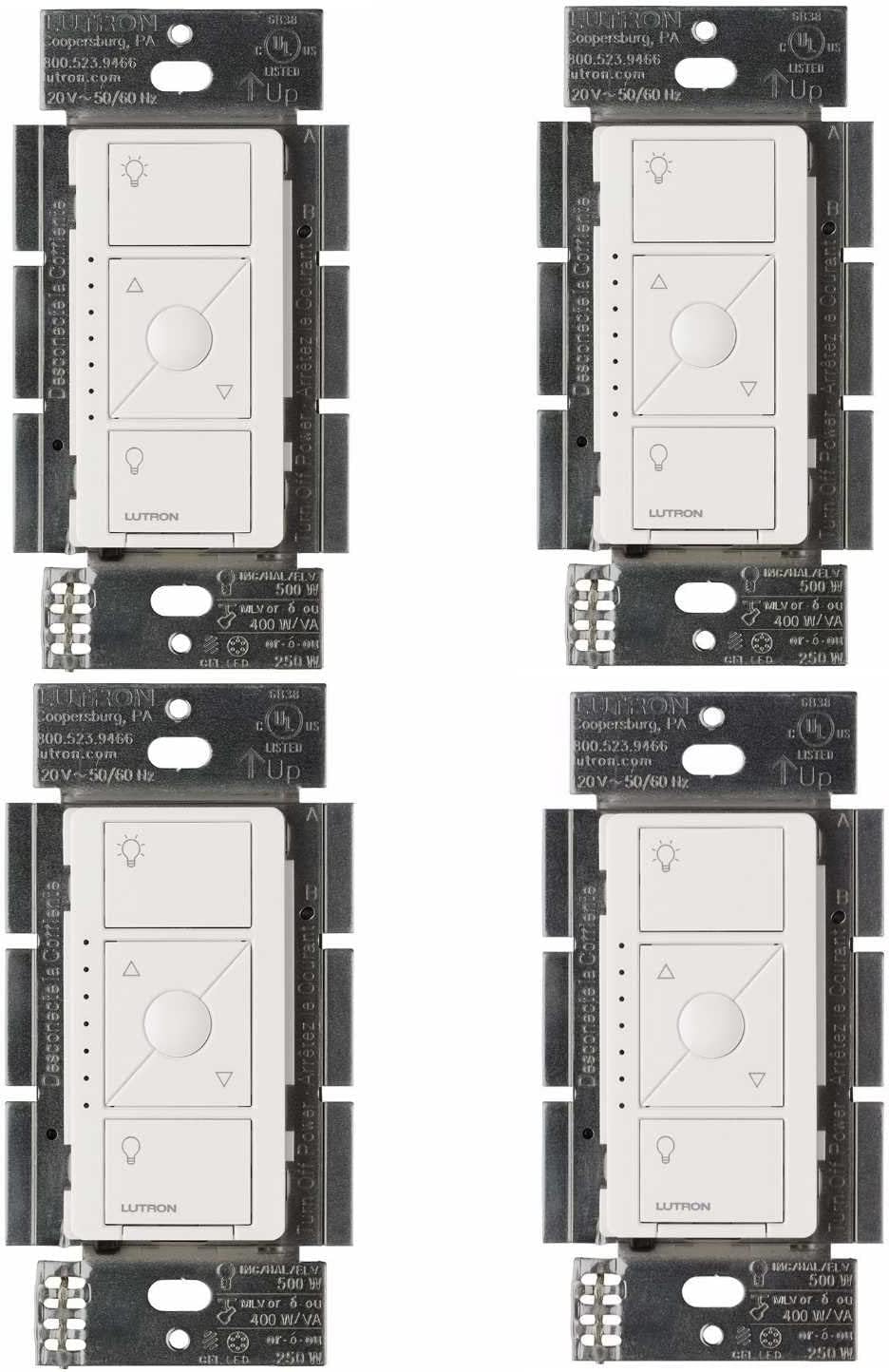
Why Is My Lutron Caseta Dimmer Buzzing or Humming
- Incompatible LED bulbs
- Bulbs not dimmable rated
- Too few bulbs on dimmer
Problem Description
Your Lutron Caseta dimmer buzzes audibly from the switch body or the connected light bulbs hum when dimmed below full brightness. The noise increases at specific dim levels and may be more pronounced with certain bulbs. This is a load compatibility issue between the Caseta dimmer and the LED bulb's internal driver circuit — not a defective dimmer.
Why This Happens in Real Homes
A Caseta dimmer buzzing or humming is usually incompatible or non-dimmable-rated LED bulbs resonating with the dimmer's phase-cut waveform — the noise comes from the bulb drivers (or occasionally the dimmer) at certain levels.
Start by swapping to bulbs on Lutron's compatibility list that are rated dimmable, and set the dimmer's minimum brightness (low-end trim) so it doesn't drive them into the buzzing range. Not overloading the dimmer's wattage rating helps too; compatible, dimmable LEDs are the real cure.
Symptoms
- Buzzing from dimmer switch
- Humming from light bulbs
- Noise at specific dim levels
- Worse at 50% brightness
- Silent at full bright
- Bulbs flicker with buzz
Recognize these? Here's what usually causes it.
Common Causes
- Incompatible LED bulbs
- Bulbs not dimmable rated
- Too few bulbs on dimmer
- Low-end trim set wrong
- Bulb driver resonating
- Dimmer overloaded
Most fixes happen in the first 3 steps.
Persistent buzzing can indicate overload. Do not exceed dimmer wattage rating. Check total bulb wattage against dimmer spec.
Tools & Requirements
These tools will help you complete this fix.
As an Amazon Associate we earn from qualifying purchases.
Step-by-Step Solution
Verify Bulbs Are on the Lutron LED Compatibility List
Go to lutron.com and use the LED Compatibility Checker to confirm your specific LED bulbs are tested and listed for your Caseta dimmer model. Buzzing and flicker with LED bulbs is almost always a load compatibility issue, not a dimmer defect. Replace incompatible bulbs with listed alternatives — Philips, GE, Cree, and Feit bulbs from the compatibility list work reliably with Caseta dimmers. Even one incompatible bulb on a multi-bulb circuit causes audible buzzing.
Confirm All Bulbs Are Marked Dimmable
Check the packaging or product page for every bulb on the circuit and confirm each is explicitly rated as dimmable. Non-dimmable LEDs connected to a dimmer buzz, flicker, and are damaged by the dimmed voltage waveform over time. Replace any non-dimmable bulb with a dimmable equivalent. A single non-dimmable bulb mixed into a circuit with dimmable bulbs causes the entire load to behave erratically.
Adjust the Low-End Trim to Eliminate Low-Level Flicker
Hold the Caseta dimmer paddle in the fully off position for approximately 4 seconds until the LED indicator flashes. The dimmer enters low-end trim adjustment mode. Press the top of the paddle to raise the minimum dim level, or the bottom to lower it. Raise it until flickering at low brightness levels stops. Press the paddle once to exit and save. This calibrates where the dimmer's waveform begins driving the LED driver circuit, eliminating the instability range.

Needed for this step
9 Inch Torpedo Level Magnetic, Shock-Proof Smal...
This helps complete the fix you are currently reading.
$6.99Add Bulbs to Reach Minimum Load
Lutron Caseta dimmers have a minimum load requirement. If you are only dimming 1 or 2 LED bulbs with a total wattage below 5W, the dimmer is operating below its minimum load threshold and will buzz. Add another bulb to raise the total circuit wattage, or replace the dimmer with the Lutron PD-6WCL which supports a 0W minimum load, specifically designed for low-count LED installations.
Check for Loose Wiring at the Switch
Buzzing that occurs from the switch body itself (not the bulbs) can indicate a loose wire connection at the dimmer terminals. Turn off the circuit breaker, remove the Caseta dimmer from the wall box, and inspect all wire connections. Make sure each wire is fully seated in its terminal with no exposed copper outside the connector. Tighten any push-in connectors or retighten screw terminals. Reinstall and test — loose wiring causes resistive heating that produces buzzing from the switch chassis.
Quick Solutions
Still having issues? This is usually the deeper cause below.
If flickering only happens on dimming, the issue is almost always the dimmer's minimum-load setting, not the bulb — it's drawing less current than the dimmer expects.
The Lutron compatibility tool lists specific bulb models tested with each dimmer. Start there when selecting bulbs. **Product Intelligence:** - Requires Caseta Smart Bridge - Clear Connect RF (not WiFi) - HomeKit/Alexa/Google compatible
This issue almost always looks more complex than it is — the majority of cases trace back to a single setting, a stale credential, or a default that shipped wrong.
- Incompatible LED bulbs
- Bulbs not dimmable rated
- Too few bulbs on dimmer
- Low-end trim set wrong
- Bulb driver resonating
Before you go — try one of these (they fix most cases).
Most popular upgrades chosen by Lutron Caseta Dimmer owners.

Lutron Diva Smart Dimmer Switch with Wallplate and Pico S...

Lutron Caseta Deluxe Smart Dimmer Switch Kit, Compatible ...

Lutron Caséta Motion Sensor, Occupancy/Multi-Location, wi...
As an Amazon Associate we earn from qualifying purchases.
Official Manufacturer Manual
If you need the complete manufacturer documentation for advanced setup, wiring diagrams, or detailed specifications, you can download the official manual below. The manual includes full technical instructions directly from the manufacturer and may help if your issue requires deeper troubleshooting.
Download the Official Lutron Caseta Dimmer ManualSource: lutron.com
Need More Help? Lutron Support
Note: The contact information below connects you directly to Lutron's official customer support team, not Trunetto. They can help with warranty claims, device replacements, and advanced technical issues.
Accessories owners commonly pair with Lutron Caseta Dimmer.

Lutron Caseta Smart Lighting Smart Hub Repeater, Expands ...

Lutron Pico Remote for Audio, Works with Sonos (Caseta Sm...

LXLO Remote Wallplate Bracket, Perfectly Compatible with ...
As an Amazon Associate we earn from qualifying purchases.