

Why Is My Dreame Robot Vacuum Mop Not Dispensing Water During Cleaning
- Water tank not fully seated or locked in place
- Water pump inlet blocked by debris or mineral deposits
- Mop water flow set to low in app
Problem Description
Your Dreame robot vacuum starts its mopping cycle but the mop pads stay completely dry. The robot moves across the floor with the mop attachment engaged but no water comes out of the tank. The floor stays dirty with streaks instead of getting cleaned. The water tank is full and properly seated but the pump does not seem to activate. This can happen on first use after setup or suddenly after the robot has been mopping fine for weeks.
Why This Happens in Real Homes
This usually appears after a tank reseat issue, mineral buildup in the feed path, or a flow setting mismatch after an app/firmware change. The robot will still run a mop route, but the pump path stays restricted, so the pads drag dry and leave streaks.
Start by reseating the tank, checking the seal, and running one cycle at higher water flow before replacing parts. In most homes, restoring flow and clearing minor blockage fixes it quickly.
Symptoms
- Mop pads dry during cleaning cycle
- Robot mops but floor stays dirty with streaks
- Water tank is full but no water dispensed
- Pump makes no sound during mopping
- Mopping worked before but stopped suddenly
- Only one mop pad gets wet while other stays dry
Recognize these? Here's what usually causes it.
Common Causes
- Water tank not fully seated or locked in place
- Water pump inlet blocked by debris or mineral deposits
- Mop water flow set to low in app
- Water tank rubber seal dried out or missing
- Vacuum-only mode selected instead of vacuum and mop
- Water pump failed after extended use
Most fixes happen in the first 3 steps.
Never add floor cleaning solution or soap directly to the Dreame water tank unless the manual specifically states it is compatible. Many cleaning chemicals damage the water pump seals and void the warranty. Use only water or Dreame-approved cleaning solution.
Tools & Requirements
These tools will help you complete this fix.
As an Amazon Associate we earn from qualifying purchases.
Step-by-Step Solution
Check and reseat the water tank
Fill the tank and reinsert it until it clicks fully into place. A partially seated tank will not open the valve correctly, so no water reaches the pad.
Pre-wet and align the mop pads
Lightly dampen the pads before starting and make sure they are mounted flat and centered. Dry or crooked pads can make output look like zero flow even when the pump is working.

Needed for this step
1200 Pcs 2.75 Inch Cotton Swabs Precision Micro...
This helps complete the fix you are currently reading.
$12.99Clean pads and inlet filters
Rinse heavily soiled pads and clear any mesh or inlet filter in the tank assembly. Mineral buildup and lint are common reasons for restricted water delivery.
Raise water level in app settings
Set water output to Medium or High and run a short mop test on hard flooring. This confirms whether the issue is a settings limit versus a hardware flow problem.
Inspect and clear outlet nozzles
Check the robot outlet channels and base station water path for debris or scale, then clear gently. If flow is still absent after cleaning, the pump or valve may require service.
Quick Solutions
Tank empty or not seated
- Fill the tank with clean water.
- Remove and reseat the tank firmly.
- Start a short mopping cycle to confirm flow.
Mop pads dry or installed incorrectly
- Pre-wet the pads before the first mop run.
- Reattach the pads so they sit flat and fully secured.
Water flow set too low
- Open the app and increase the water output level.
- Test mopping on a hard floor for 3-5 minutes.
Clogged outlets or filters
- Clean water outlets and filters.
- Check for debris blocking the water path.
Base station not dispensing (base models)
- Verify the base station water tank is filled.
- Check that the base station is powered and connected.
Flat tank models need pre-wet
- Wet the pads manually before starting.
- Run a short cycle so the tank can begin feeding water.
Still having issues? This is usually the deeper cause below.
If the robot returns to the dock mid-clean, moved furniture may have invalidated its map — a fresh floor scan resolves the majority of navigation failures.
Use clean water only, rinse pads regularly, and avoid thick cleaners that can clog the water path.
Over-saturation complaints spike in humid conditions — ambient humidity causes the mop pad to hold more water, compounding the pump output on the same flow setting.
- Water tank not fully seated or locked in place
- Water pump inlet blocked by debris or mineral deposits
- Mop water flow set to low in app
- Water tank rubber seal dried out or missing
- Vacuum-only mode selected instead of vacuum and mop
Before you go — try one of these (they fix most cases).
Most popular upgrades chosen by Dreame Robot Vacuum owners.

DREAME C20 Plus Robot Vacuum and Mop Combo, 90 Days Self-...

DREAME Aqua10 Ultra Roller Robot Vacuum and Mop & 30,000P...
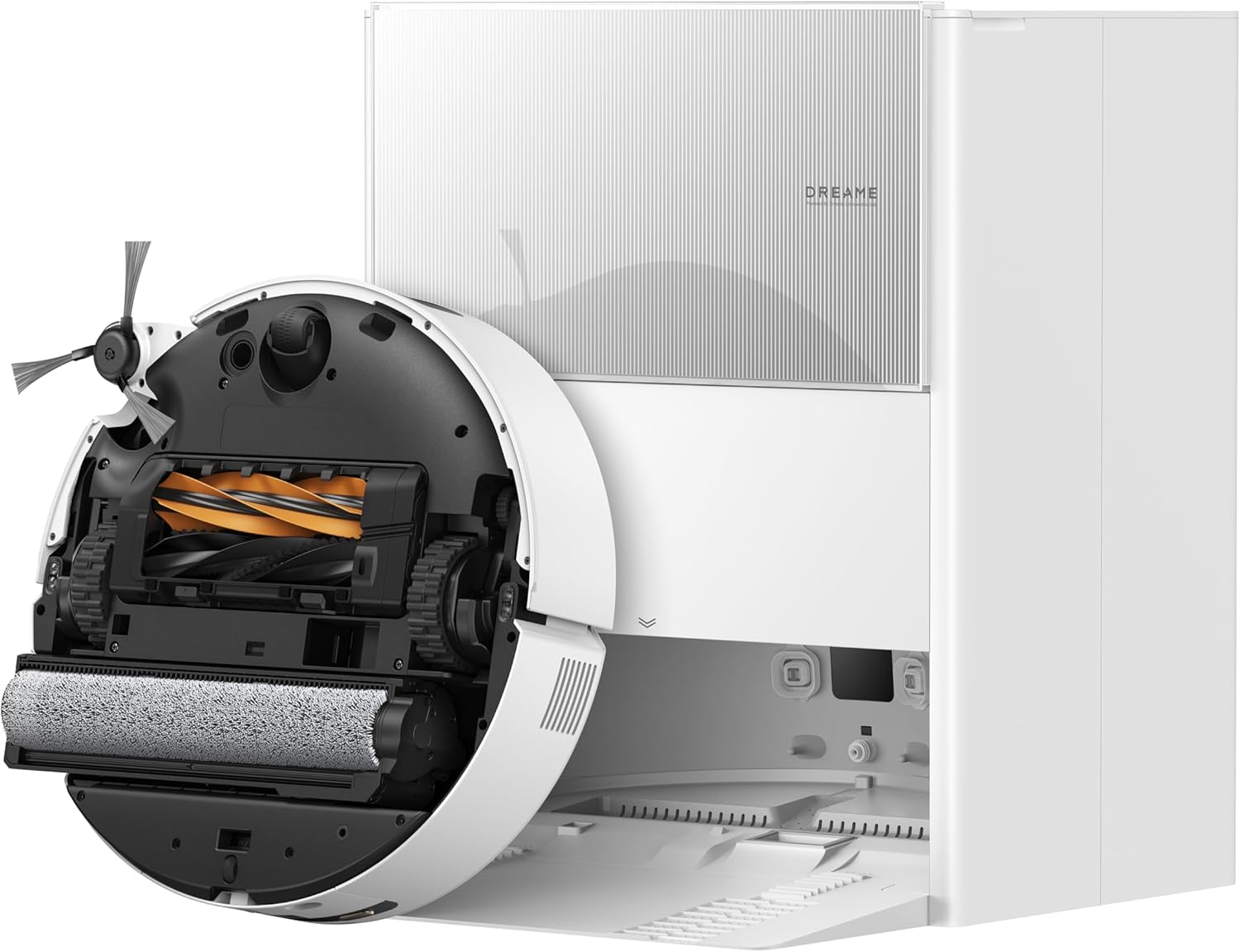
DREAME Aqua10 Ultra Roller Robot Vacuum and Mop & 30,000P...
As an Amazon Associate we earn from qualifying purchases.
Official Manufacturer Manual
Dreame provides official product documentation through their online manual rather than downloadable PDF. Access setup guides, troubleshooting steps, and product specifications for your Dreame Robot Vacuum.
Source: dreametech.com
Need More Help? Dreame Support
Note: The contact information below connects you directly to Dreame's official customer support team, not Trunetto. They can help with warranty claims, device replacements, and advanced technical issues.
Accessories owners commonly pair with Dreame Robot Vacuum.

Amazon Basics 20-Pack AA Alkaline High-Performance Batter...

Amazon Basics CR2032 3V Lithium Coin Cell Batteries for K...

Duracell Coppertop Double AA Batteries with Power Boost I...
As an Amazon Associate we earn from qualifying purchases.


