

How to Install the Tapo D130 Wired Video Doorbell
- Confirm Power Before You Start
- Cut the Power
- Mount the Base Plate
- Connect the Wires
- Restore Power and Add to Tapo
- Set Up the Included Tapo Chime
Most users complete this in under 35 minutes
Overview
Tapo Tapo D130 Video Doorbell setup takes under 15 minutes for most users — if you're stuck, the steps below target the specific points where installs stall.
This guide covers installing the TP-Link Tapo D130 smart video doorbell. The D130 is a WIRED doorbell: it needs an 8 to 24V AC supply, either from your existing doorbell wiring or from a plug-in transformer or power adapter if you have none. It does not use a rechargeable battery. The kit includes a plug-in Tapo Chime that provides the indoor ring, and no Tapo hub is required (a Tapo hub such as the H100 or H200 can optionally act as an extra chime via Smart Actions). Setup includes wiring, mounting, 2.4GHz Tapo app pairing, and configuring the chime, detection, and two-way audio.
Why This Happens in Real Homes
Despite how it is often described, the Tapo D130 is a wired doorbell, not a battery unit. It needs an 8 to 24V AC supply, which comes either from your existing doorbell wiring or, if you have none, from a plug-in transformer or power adapter, so there is no battery to charge and no hub to buy. The indoor ring comes from the included plug-in Tapo Chime: plug it into an outlet within WiFi range and pair it to the doorbell, and if you want extra chimes elsewhere a Tapo H100 or H200 hub can play that role through Smart Actions, but neither is required. The two things that trip people up are power and pairing: measure that the transformer actually delivers 8 to 24V AC (an old one that rang a mechanical bell can sag under a camera), and pair with your phone on 2.4GHz since the doorbell joins 2.4GHz WiFi. The front door is usually the weakest signal in the house, so a mesh node nearby does more for blurry video than any in-app setting.
What's Included
- D130 will not power on after wiring
- Indoor Tapo Chime does not ring on a button press
- D130 will not pair to WiFi during setup
- Weak or blurry video at the door
- Missing visitors or late motion alerts
- Doorbell reboots or loops during use
- App notifies the phone but the chime stays silent
- Cannot complete setup in the Tapo app
Got your materials ready? Here's what to check first.
Before You Start
- Existing transformer below 8V AC or wires not landed on the terminals
- No existing doorbell wiring and no plug-in transformer or adapter fitted
- Phone on 5GHz; the D130 needs a 2.4GHz network for pairing
- Weak 2.4GHz signal at the front door reducing video quality
- Tapo Chime not plugged in, not paired, or out of WiFi range
- Motion or press sensitivity too low, or the detection zone missing the walkway
- Old diode or resistor from a previous doorbell left in the circuit
- WiFi password with special characters, or WPA3/band-steering/AP isolation
Don't skip this step — it breaks everything if you do
Battery requires recharging every 2-3 months. Plan access for battery maintenance. Wireless chime has limited range.
Tools & Requirements
These tools will help you complete this fix.

Drill optional
DEWALT 20V MAX Cordless Drill and Impact Driver, Pow...

Level
9 Inch Torpedo Level Magnetic, Shock-Proof Small Lev...

Screwdriver
STREBITO 155 in 1 Electric Screwdriver Set, Small El...
As an Amazon Associate we earn from qualifying purchases.
Installation Steps
Confirm Power Before You Start
The D130 is wired and needs 8 to 24V AC. If you have existing doorbell wiring, measure it is within range. If you have no doorbell wiring, use a plug-in transformer or power adapter rated 8 to 24V AC to power it. There is no battery to charge.
Cut the Power
Turn off the doorbell circuit at the breaker or unplug the transformer before touching wires, so you are not landing wires on a live circuit.
Mount the Base Plate
Fix the mounting plate at standard doorbell height (about 48 inches / 1.2 m) with a clear view of the approach. Use the included angle wedge if you need to aim it toward the walkway. Route the two doorbell wires through the plate.
Connect the Wires
Connect the two doorbell wires to the D130 terminals. There is no polarity, so either wire can go to either terminal. Remove any old diode or resistor left from a previous doorbell. Attach the D130 to the mounting plate.
Restore Power and Add to Tapo
Turn the power back on. Open the Tapo app, sign into or create your TP-Link (Tapo) account, and add the D130. Keep your phone on 2.4GHz and follow the pairing flow; the doorbell connects to 2.4GHz WiFi.
Set Up the Included Tapo Chime
Plug the included Tapo Chime into an indoor outlet within WiFi range and pair it to the doorbell in the app, then set the ringtone and volume. Optionally add a Tapo H100 or H200 hub as an extra chime through Smart Actions.
Configure Detection and Two-Way Audio
Set the detection/activity zone over the approach path, tune motion and doorbell-press sensitivity, and test the two-way audio, adjusting mic and speaker volume for a clear conversation.
Test Everything
Press the button to confirm the Tapo Chime rings and you get a phone notification, then walk the approach to confirm motion detection, video quality, and night view all work.
Installation Tips
Still stuck? This is usually the deeper cause below.
D130 requires no doorbell wiring - completely battery-powered. Includes wireless chime receiver for indoor notification.
Before you go — these Tapo guides fix most remaining issues.
Most popular upgrades chosen by Tapo D130 Video Doorbell owners.

Tapo by TP-Link Smart Video Doorbell Camera Wireless with...
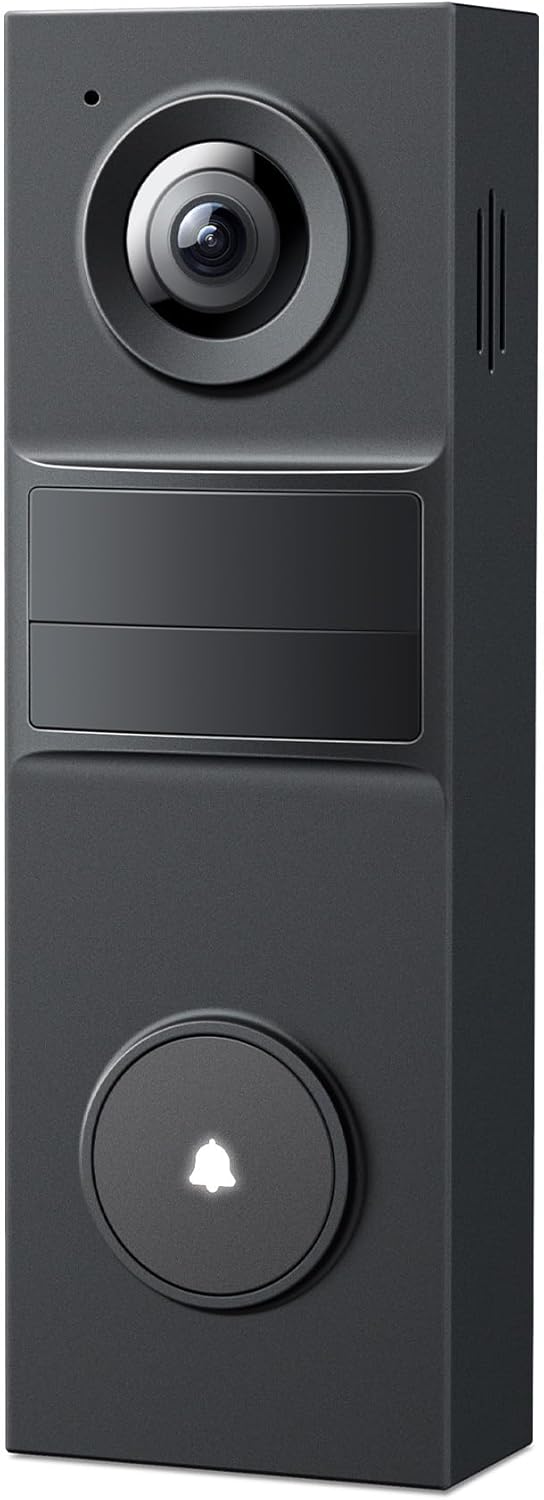
Tapo 2K Wireless Smart Video Doorbell - 160° Ultra-Wide V...

Tapo 2K Wired Smart Video Doorbell - 180 Ultra-Wide Field...
As an Amazon Associate we earn from qualifying purchases.
Official Manufacturer Manual
Tapo provides official product documentation through their online manual rather than downloadable PDF. Access setup guides, troubleshooting steps, and product specifications for your Tapo D130 Video Doorbell.
Source: tapo.com
Need More Help? Tapo Support
Note: The contact information below connects you directly to Tapo's official customer support team, not Trunetto. They can help with warranty claims, device replacements, and advanced technical issues.
Accessories owners commonly pair with Tapo D130 Video Doorbell.

Tapo LiDAR Smart Navigation Robot Vacuum and Mop with Sel...

Tapo Ultra-Slim LiDAR Smart Navigation Robot Vacuum and M...
As an Amazon Associate we earn from qualifying purchases.


